'%3e%3cg%20clip-path='url(%23roundHexB)'%3e%3cpath%20fill='%236D5DFC'%20d='M256%2040%20443%20148%20443%20364%20256%20472%2069%20364%2069%20148Z'/%3e%3cpath%20fill='%239C93FB'%20d='M69%20148%20256%2040%20443%20148%20256%20256Z'/%3e%3cpath%20fill='%234A3FD1'%20d='M256%20256%20443%20148%20443%20364%20256%20472Z'/%3e%3c/g%3e%3c!--%20top%20face:%20filled%20round%20magnifier%20--%3e%3cg%20transform='matrix(0.8660254,-0.5,0.8660254,0.5,69,148)'%3e%3cg%20transform='matrix(0.935,0,0,0.935,7.02,7.02)'%3e%3ccircle%20cx='88'%20cy='88'%20r='52'%20fill='%23FFFFFF'/%3e%3ccircle%20cx='88'%20cy='88'%20r='28'%20fill='%239C93FB'/%3e%3cpath%20d='M124%20124%20164%20164'%20stroke='%23FFFFFF'%20stroke-width='26'%20stroke-linecap='round'/%3e%3c/g%3e%3c/g%3e%3cg%20transform='matrix(0.8660254,0.5,0,1,69,148)'%3e%3cpath%20d='M96.1,61.08%20L45.9,128.92%20Q34,145%2054,145%20L162,145%20Q182,145%20170.1,128.92%20L119.9,61.08%20Q108,45%2096.1,61.08%20Z'%20fill='%23FFFFFF'/%3e%3c/g%3e%3c!--%20right%20face:%20filled%20bubble%20--%3e%3cg%20transform='matrix(0.8660254,-0.5,0,1,256,256)'%3e%3cg%20transform='matrix(0.855,0,0,0.855,15.66,15.66)'%3e%3cpath%20d='M60%2042H156a28%2028%200%200%201%2028%2028V158Q184%20168%20174.47%20164.96L124.53%20149.04Q115%20146%20105%20146H60a28%2028%200%200%201-28-28V70a28%2028%200%200%201%2028-28Z'%20fill='%23FFFFFF'/%3e%3c/g%3e%3c/g%3e%3c/g%3e%3c/svg%3e)
 jesusclub
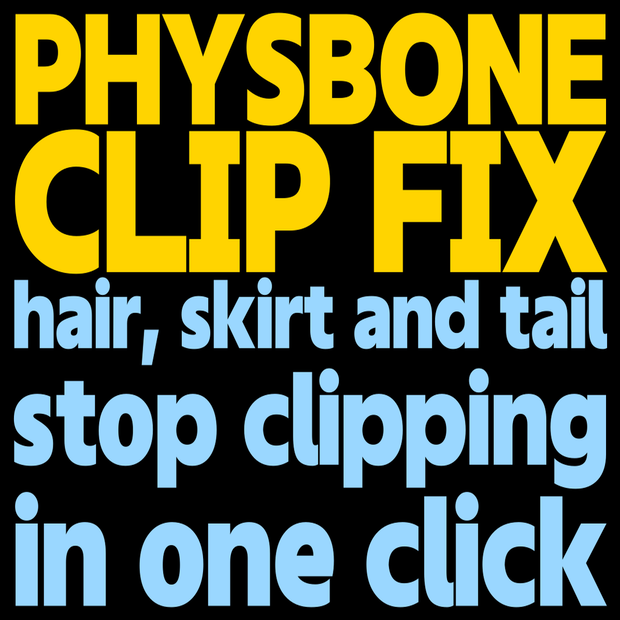
 PhysBone Clip Fix - Stop hair, skirts and tails clipping through your avatar in one click (auto-fitted colliders, anti-jitter, undo)
상품 설명
Hair stabs through your back. The skirt passes through your legs. The tail sinks into your hips and jitters.
PhysBone Clip Fix fixes that clipping inside Unity in one click. Drop in your avatar and it reads the body mesh, places PhysBone colliders of the right thickness on the chest, belly, hips, arms, hands and legs, and links them to your hair, skirt and tail PhysBones. New hair, a new outfit, a long tail: no more tuning collider numbers by hand.
WHAT IT DOES
- Auto-placed colliders: thickness and length are measured from the mesh's bone weights and placed on 15 body regions (no hand placement)
- One-click linking: PhysBones are sorted into hair / skirt / tail and linked to the colliders that suit them (hair -> torso and upper arms, skirt -> hips, legs and hands, tail -> hips and thighs)
- Anti-jitter: Version 1.1, Integration Type Advanced, a relaxed angle limit and a fix for Radius 0, all at once
- Diagnose: finds broken setups such as an empty Colliders list, Radius 0 or Allow Collision turned off
- Performance estimate: shows collision checks and the approximate PC performance rank
SAFE BY DESIGN
- Every step can be undone with Ctrl+Z
- Colliders the avatar's author already placed are reused, never doubled
- PhysBones that already have colliders are skipped by default, so the cost does not grow
- Chest, butt and accessory PhysBones are left alone
- Everything it added can be removed with one button
HOW TO USE
1. Import the unitypackage
2. Open Tools > nipa > PhysBone Clip Fix
3. Drop your avatar (Animator) into the window; it is scanned automatically
4. Press "Apply All" and check the motion in Gesture Manager or in-game
REQUIREMENTS
- Unity 2022.3 / VRChat SDK3 Avatars 3.5 or later (VRCPhysBone)
- A humanoid avatar
- English / Japanese UI (follows your OS language; the EN button switches it)
- Modular Avatar is not needed
- Tested on Neko-Chiyan 3.0 and ICHIGO v1.05
NOTES
- More colliders and links mean more collision checks, which can lower the performance rank. Tick only the PhysBones that need it
- The Head collider is off by default, because bangs touch it all the time and start to jitter
- Collider sizes are calculated automatically. Depending on the outfit, fine-tune with "Radius scale"
- PhysBones are sorted by bone name and hierarchy. You can change the type in the list if one is wrong
- Back up your project before applying
- This is not an official VRChat tool
CONTENTS
- YuremonoFix_v1_2.unitypackage
- README.txt
- LICENSE.txt (English summary) / EULA.txt (Japanese binding text)
LICENSE
- See the included LICENSE.txt
- Use it on your own avatars and outfits, commercially or not. Distributing or selling avatars and outfits you adjusted with it is fine (do not include the tool's files)
- Copying, transferring, uploading or reselling the tool itself is prohibited
- Provided as is; the author is not liable for any damage arising from use
모든 리뷰
더보기리뷰 등록
리뷰를 작성하려면 로그인이 필요합니다.
로그인하고 리뷰 쓰기