'%3e%3cg%20clip-path='url(%23roundHexB)'%3e%3cpath%20fill='%236D5DFC'%20d='M256%2040%20443%20148%20443%20364%20256%20472%2069%20364%2069%20148Z'/%3e%3cpath%20fill='%239C93FB'%20d='M69%20148%20256%2040%20443%20148%20256%20256Z'/%3e%3cpath%20fill='%234A3FD1'%20d='M256%20256%20443%20148%20443%20364%20256%20472Z'/%3e%3c/g%3e%3c!--%20top%20face:%20filled%20round%20magnifier%20--%3e%3cg%20transform='matrix(0.8660254,-0.5,0.8660254,0.5,69,148)'%3e%3cg%20transform='matrix(0.935,0,0,0.935,7.02,7.02)'%3e%3ccircle%20cx='88'%20cy='88'%20r='52'%20fill='%23FFFFFF'/%3e%3ccircle%20cx='88'%20cy='88'%20r='28'%20fill='%239C93FB'/%3e%3cpath%20d='M124%20124%20164%20164'%20stroke='%23FFFFFF'%20stroke-width='26'%20stroke-linecap='round'/%3e%3c/g%3e%3c/g%3e%3cg%20transform='matrix(0.8660254,0.5,0,1,69,148)'%3e%3cpath%20d='M96.1,61.08%20L45.9,128.92%20Q34,145%2054,145%20L162,145%20Q182,145%20170.1,128.92%20L119.9,61.08%20Q108,45%2096.1,61.08%20Z'%20fill='%23FFFFFF'/%3e%3c/g%3e%3c!--%20right%20face:%20filled%20bubble%20--%3e%3cg%20transform='matrix(0.8660254,-0.5,0,1,256,256)'%3e%3cg%20transform='matrix(0.855,0,0,0.855,15.66,15.66)'%3e%3cpath%20d='M60%2042H156a28%2028%200%200%201%2028%2028V158Q184%20168%20174.47%20164.96L124.53%20149.04Q115%20146%20105%20146H60a28%2028%200%200%201-28-28V70a28%2028%200%200%201%2028-28Z'%20fill='%23FFFFFF'/%3e%3c/g%3e%3c/g%3e%3c/g%3e%3c/svg%3e)
 Shunshun's Sigh Workshop
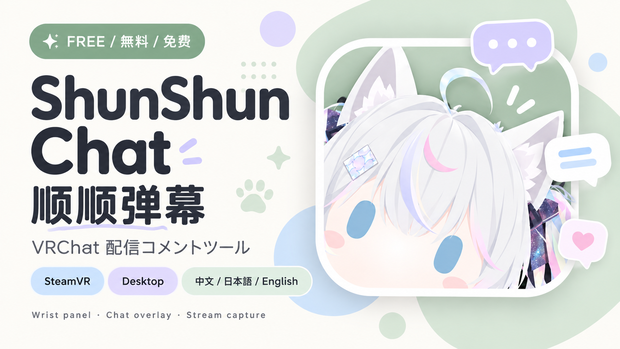
 ShunShun Chat|VRChat配信コメントツール|顺顺弹幕|中文・日本語・English
상품 설명
ShunShun Chat|VRChat配信コメントツール|顺顺弹幕|中文・日本語・English
【日本語】
VRChatで遊びながら、配信中のコメントをもっと身近に。
ShunShun Chatは、PCのデスクトップ表示とSteamVRオーバーレイを備えた配信コメントツールです。中国語・日本語・英語のUIを切り替えられます。
主な機能
・手首に表示するコメントパネル。位置・角度・大きさ・文字サイズなどを調整可能。
・視界を流れるコメントオーバーレイ。端のフェードと緩い湾曲表示。
・OBSなどで利用できる独立したコメントキャプチャウィンドウ。
・対応プラットフォームのコメント、Super Chat、ギフトなどを表示。対応イベントはサービスごとに異なります。
・PCプレビュー、テストメッセージ、SteamVR接続と自動起動設定。
接続条件(ダウンロード前にお読みください)
Bilibili:配信者認証コードのみ。専用HTTPS認証サービスの稼働とBilibiliの権限が必要です。ユーザー環境で接続確認済み。
YouTube:ライブ動画URLとYouTube Data API OAuthトークンが必要です。
Twitch:チャンネルURLとchat:read権限のユーザーOAuthトークンが必要です。コメント・Bitsに対応。
Douyin:中国版抖音の公式認可コールバック向けです。認可済みミニゲーム、ルームID、署名シークレット、HTTPS転送環境が必要です。ルームIDのみでは使用できません。
YouTube・Twitch・Douyinは実際の認証済みライブ環境での動作検証が未完了です。全サービスが設定不要で使える製品ではありません。
Windows x64用。ZIPをすべて展開してShunShunLive.exeを起動してください。ランタイム同梱。
VR機能にはPC版SteamVRが必要です。Quest/PICOはPCストリーミングで接続してください。スタンドアロン用アプリではありません。デスクトップ表示のみならVR機器は不要です。
本体無料。100円・500円・1,000円の応援版も同じソフトウェアです。追加機能はなく、応援は任意です。
【中文】
顺顺弹幕 · VRChat直播助手,让主播在VR游玩与日常直播时也能方便地查看观众互动。软件界面支持中文、日文和英文切换,观众消息保持原文。
功能包括SteamVR手腕面板、视野弹幕覆盖层、桌面弹幕捕捉窗口,以及弹幕、SC和礼物展示(各平台支持的事件不同)。可调整显示位置、大小、字号等,并提供PC预览、本地测试消息和SteamVR自动启动设置。
平台接入条件:
B站只需主播身份码,依赖配套HTTPS鉴权服务和平台权限,已完成用户侧连接验证。
YouTube需要直播视频链接和YouTube Data API OAuth令牌。
Twitch需要频道链接和chat:read用户令牌,支持聊天与Bits。
抖音需要官方授权的小玩法、房间ID、回调签名密钥及HTTPS转发环境,仅填写房间号无法接入。
YouTube、Twitch、抖音尚未完成真实授权直播环境验证,并非全部平台开箱即用。
使用方式:完整解压ZIP,运行ShunShunLive.exe,选择平台并按要求填写资料。VR功能需电脑端SteamVR;Quest/PICO需电脑串流,不能在头显上独立运行。普通桌面展示无需VR设备。
免费版与100、500、1,000日元支持档的软件和功能完全一致,支持纯属自愿,不解锁额外内容。
【English】
ShunShun Chat is a Windows streaming-chat utility for VRChat streamers, with desktop capture and SteamVR overlays. The interface supports Chinese, Japanese and English; viewer messages remain unchanged.
Features: a configurable wrist panel, scrolling view overlay with edge fading and gentle curvature, a standalone chat-capture window for streaming software, supported chat/paid/gift events, desktop previews, labeled local test messages, and SteamVR startup options. Event support varies by platform.
Connection requirements:
Bilibili needs only a broadcaster identity code and depends on the hosted HTTPS authorization service and platform permissions. User-side connection has been verified.
YouTube requires a live video URL and a valid YouTube Data API OAuth token.
Twitch requires a channel URL and a user OAuth token with chat:read. Chat and Bits are supported.
Douyin requires an officially approved mini-game, room ID, callback signing secret and HTTPS forwarding infrastructure. A room ID alone is not enough; TikTok compatibility is not promised.
YouTube, Twitch and Douyin have not yet been validated in authenticated live-stream sessions. This is not a zero-configuration integration for every platform.
Windows x64. Extract the full ZIP and run ShunShunLive.exe; the runtime is included. VR features require PC SteamVR. Quest/PICO must connect through PC streaming; standalone headsets cannot run this application directly. Desktop capture does not require a headset.
The free download and optional ¥100 / ¥500 / ¥1,000 support editions contain the same software and features. Support is voluntary and unlocks no additional content.
Version 0.3.0: added Chinese/Japanese/English interface switching and trilingual documentation. Build and 27 automated checks passed; real-platform and VR hardware validation remains limited as described above.
【お問い合わせ / 问题反馈 / Support】
Email: [email protected]
日本語:不具合やご質問はメールでご連絡ください。アプリのバージョン、利用プラットフォーム、再現手順、エラー画面を添えてください。認証コード、トークン、パスワードは送らないでください。
中文:遇到问题可发送邮件,请附上软件版本、直播平台、操作步骤及错误截图。请勿发送身份码、令牌或密码。
English: For questions or bug reports, email the address above with the app version, streaming platform, steps to reproduce and an error screenshot. Do not send identity codes, tokens or passwords.
X: @sqzr74110 — https://x.com/sqzr74110
Bilibili / 闲鱼(Xianyu):搜索 / 検索 / Search「生活不易顺顺叹气」
모든 리뷰
더보기리뷰 등록
리뷰를 작성하려면 로그인이 필요합니다.
로그인하고 리뷰 쓰기