'%3e%3cg%20clip-path='url(%23roundHexB)'%3e%3cpath%20fill='%236D5DFC'%20d='M256%2040%20443%20148%20443%20364%20256%20472%2069%20364%2069%20148Z'/%3e%3cpath%20fill='%239C93FB'%20d='M69%20148%20256%2040%20443%20148%20256%20256Z'/%3e%3cpath%20fill='%234A3FD1'%20d='M256%20256%20443%20148%20443%20364%20256%20472Z'/%3e%3c/g%3e%3c!--%20top%20face:%20filled%20round%20magnifier%20--%3e%3cg%20transform='matrix(0.8660254,-0.5,0.8660254,0.5,69,148)'%3e%3cg%20transform='matrix(0.935,0,0,0.935,7.02,7.02)'%3e%3ccircle%20cx='88'%20cy='88'%20r='52'%20fill='%23FFFFFF'/%3e%3ccircle%20cx='88'%20cy='88'%20r='28'%20fill='%239C93FB'/%3e%3cpath%20d='M124%20124%20164%20164'%20stroke='%23FFFFFF'%20stroke-width='26'%20stroke-linecap='round'/%3e%3c/g%3e%3c/g%3e%3cg%20transform='matrix(0.8660254,0.5,0,1,69,148)'%3e%3cpath%20d='M96.1,61.08%20L45.9,128.92%20Q34,145%2054,145%20L162,145%20Q182,145%20170.1,128.92%20L119.9,61.08%20Q108,45%2096.1,61.08%20Z'%20fill='%23FFFFFF'/%3e%3c/g%3e%3c!--%20right%20face:%20filled%20bubble%20--%3e%3cg%20transform='matrix(0.8660254,-0.5,0,1,256,256)'%3e%3cg%20transform='matrix(0.855,0,0,0.855,15.66,15.66)'%3e%3cpath%20d='M60%2042H156a28%2028%200%200%201%2028%2028V158Q184%20168%20174.47%20164.96L124.53%20149.04Q115%20146%20105%20146H60a28%2028%200%200%201-28-28V70a28%2028%200%200%201%2028-28Z'%20fill='%23FFFFFF'/%3e%3c/g%3e%3c/g%3e%3c/g%3e%3c/svg%3e)
 121214
상품 설명
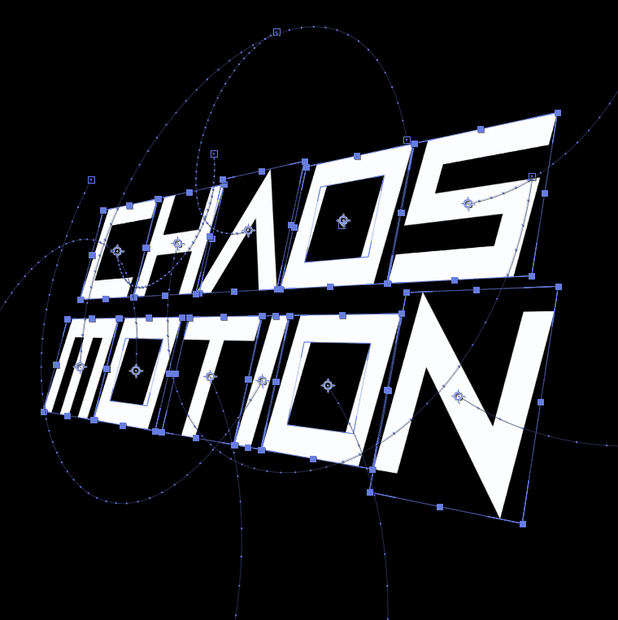
レイヤーを選択してボタンをワンクリック。揺れて、曲線で跳ねて、だんだん激しくなり、エフェクトまで多彩になるモーションが完成する、After Effects用ランダムモーション自動化スクリプト「Chaos Motion」です。
Select your layers and hit one button. Get motion that shakes, arcs along curves, intensifies over time, and even randomizes effect parameters for extra variety. This is Chaos Motion, a random motion automation script for After Effects.
Key Features
⌖ Arc Path — エクスプレッションではなく本物のキーフレーム曲線。モーションパスのハンドルを直接ドラッグして手作業でも調整可能
Real keyframe curves, not expressions. Drag the motion path handles directly in the Composition viewer to hand-tune it.
⇉ Sequence — 選択レイヤーをグループ単位でワンクリックでスタッガー登場
Stagger your selected layers into a group-based reveal with one click.
📈 Growth — レイヤーの選択順に応じてモーションがだんだん激しくなる/静かになる
Motion that gets wilder (or calmer) based on layer selection order.
🎛 Effects — レイヤーに適用済みのエフェクトパラメータもランダム化(色はHueだけ回転、彩度・明度はそのまま)
Randomizes parameters on effects already applied to the layer (color parameters rotate Hue only, keeping saturation and brightness intact).
🎲 Fix Seed — 気に入ったランダム結果を固定して、いつでも同じ結果を再現
Lock in a random result you like and reproduce it exactly, anytime.
すぐ使える内蔵プリセット5種、プリセットの保存・書き出し・読み込み、既存のアニメーションには一切触れない安全設計など、実務で使える機能を詰め込んでいます。
Also includes 5 ready-to-use built-in presets, save/export/import your own presets, and a safe-apply design that never touches your existing animation.
Feature Details
Offset(パネル上部):± ボタンと数値フィールド/スライダー(-300〜300)で、2つ目のキーフレームが何フレーム後に打たれるかを指定します。Offset = 0のときはランダム値のキーフレームが1つだけ打たれ、0以外のときはその分だけ経過した後に元の値へ戻るキーフレームがもう1つ打たれます。
the ± button plus a number field/slider (-300 to 300) sets how many frames later the second keyframe lands. At Offset = 0, only one keyframe with the random value is stamped. At any other value, a second keyframe is stamped that many frames later, returning the property to its original value.
⇉ Sequence — 選択したレイヤーをグループ単位でタイムライン上にスタッガー移動させる機能です。新しいキーフレームを打つのではなく、各レイヤーのstartTime(開始時間)をずらします。Step(グループ間のフレーム間隔)、Group(何レイヤーずつ同じタイミングで登場させるか)を指定でき、モードはBottom → Up(下から)/ Random(ランダム)/ Top → Down(上から)から選べます。
staggers your selected layers on the timeline in groups. It doesn't stamp new keyframes; it shifts each layer's startTime. Step (frame interval between groups), Group (how many layers enter at the same time), and mode: Bottom → Up / Random / Top → Down.
📈 Growth — レイヤーの選択順に応じて、各プロパティのランダム範囲そのものをだんだん大きく/小さくする機能です。X/Y/Z/R/S/Tのどれに適用するか個別に選択でき、Start %(最初のレイヤーが使う範囲の割合)とMode(Ascending=だんだん大きく/Descending=だんだん小さく)で細かく調整できます。
makes each property's random range grow or shrink based on layer selection order. Choose which of X/Y/Z/R/S/T it applies to, plus Start % (the range the first layer uses) and Mode (Ascending = grows / Descending = shrinks).
⌖ Position (X / Y / Z) — Transform > Positionをランダム化。Mode (X+Y)のStraight/Diagonalで、360度均等に散らばる動きにするか、斜め方向に動かすかを選べます。Zは3Dレイヤーのときのみ自動的に適用されます。
randomizes Transform > Position. Mode (X+Y) — Straight spreads movement evenly in all directions; Diagonal moves diagonally/toward a corner. Z only applies to 3D layers.
↝ Arc Path — 通常は「移動→元の位置に戻る」2つのキーフレームを直線で結びますが、オンにすると、その直線を直径とする半円状の経路になるよう、中間のスペーシャルタンジェントを自動計算して打ちます。Dir(弧がどちら側に膨らむか)とRound %(曲率、0=直線〜100=ほぼ半円)で調整可能です。
normally the two keyframes (moved → back to original) are joined by a straight line; with Arc Path on, the in-between spatial tangents are computed automatically so that line bulges into a semicircle-like arc. Dir (which side the arc bulges toward) and Round % (curvature, 0 = straight, 100 = near-semicircle) are adjustable.
↻ Rotation / Scale — Rotation(度、-360〜360)とScale(%ポイントオフセット、-5000〜5000)をランダム化。Scaleは軸モード(X&Y同時 / Xのみ / Yのみ / X・Y独立 / XYXY・YXYX交互)を選べます。
randomizes Rotation (degrees, -360 to 360) and Scale (percentage-point offset, -5000 to 5000). Scale supports axis modes: X&Y together / X only / Y only / X and Y independently / XYXY or YXYX alternating.
◐ Opacity — 現在の不透明度からランダムな値を引く形で変化させます。
varies opacity by subtracting a random value from the current value.
🎛 Effects — レイヤーに既に適用されているエフェクトのパラメータもランダム化できる差別化機能です。スライダー/角度型は絶対値範囲内で直接ランダム化(最小値クランプによる不自然な挙動なし)、色型パラメータは彩度・明度を保ったままHue(色相)だけを回転させます。各パラメータ行はGrowthの対象に個別に含めることもできます。
randomizes parameters on effects already applied to the layer. Slider/angle-type parameters are randomized directly within an absolute range (no clamping surprises); color-type parameters rotate only Hue, keeping saturation and brightness fixed. Each parameter row can individually be included in Growth.
🎲 Fix Seed — オフ(初期状態)のときはApplyのたびにシードが自動更新され、毎回違うランダム結果になります。オンにすると同じシード番号で常に同じ結果が再現されるので、気に入った結果が出た瞬間に固定できます。
off (default): the seed refreshes automatically on every Apply, giving a different result each time. On: the same seed number always reproduces the exact same result — turn it on the moment you land on a result you like.
★ Presets — インストール直後から使える内蔵プリセット5種(Gentle Float、Chaotic Burst、Snap In、Orbit Arc、Growing Chaos)に加え、自分だけの組み合わせを保存・.jsonで書き出し/読み込みできます。
5 ready-to-use built-in presets (Gentle Float, Chaotic Burst, Snap In, Orbit Arc, Growing Chaos) plus save/export/import your own combinations as JSON.
既存のアニメーションに触れない設計:Applyを押すと、実際に値を打つ時間区間にある既存のキーフレームだけを消して打ち直すため、その区間の外にあるキーフレーム(手作業のアニメーション)はそのまま保持されます。
Design that never touches your existing animation: Apply only clears existing keyframes inside the time window it's about to write to. Keyframes outside that window — typically animation you built by hand — are left untouched.
Installation
1. ChaosMotion.jsx を After Effects の Scripts/ScriptUI Panels フォルダに入れる
2. After Effects を再起動し、Window メニューから開く
1. Place ChaosMotion.jsx in After Effects' Scripts/ScriptUI Panels folder.
2. Restart After Effects, then open it from the Window menu.
Requirements
Adobe After Effects(Windows / macOS共通、バージョン問わず動作 / ExtendScriptベース)
Adobe After Effects (Windows / macOS, any version, ExtendScript-based)
CPU・メモリ・グラフィックボードなどの追加要件はありません — お使いのAfter Effectsが動作する環境であれば、そのままご利用いただけます。
No additional CPU, memory, or graphics card requirements — if your After Effects runs, this script runs.
環境設定 → Scripting & Expressions → 「Allow Scripts to Write Files and Access Network」のチェックが必要です(プリセットのローカル.jsonファイル書き出し/読み込みにのみ使用 — ネットワーク通信は行いません)。
Requires enabling Preferences → Scripting & Expressions → "Allow Scripts to Write Files and Access Network" (used only for local preset .json export/import — no network communication).
Terms of Use
不具合等により生じたいかなる損害についても、一切責任を負いかねますので、あらかじめご了承ください。ご不明な点や不具合報告、ご要望等ございましたら、お気軽にメール([email protected])までご連絡ください。
We are not responsible for any damages resulting from defects. If you have any questions, defect reports, or requests, please feel free to reach out by email ([email protected]).
【法人でのご利用について】
法人でのご利用に関しても制限はございません。複数台で使用される場合は、使用台数分をご購入いただく必要があります。ご購入時の「金額を上げて応援」機能をご利用いただき、使用台数分の代金をお支払いください。
[Regarding Corporate Use]
There are no restrictions on corporate use. If used on multiple devices, please purchase one copy per device — you can cover the additional devices using the "pay more to support" option at checkout.
もし可能でしたら、メール([email protected])にてご利用のご報告や、ご使用作品のエンドロール・クレジットに「ツール:121214」といった形でご記載いただけますと嬉しいですが、こちらは必須ではございません。
If possible, we'd appreciate an email letting us know how it's being used, or a credit such as "Tool: 121214" in the end roll/credits of your work — though neither is required.
모든 리뷰
더보기리뷰 등록
리뷰를 작성하려면 로그인이 필요합니다.
로그인하고 리뷰 쓰기