'%3e%3cg%20clip-path='url(%23roundHexB)'%3e%3cpath%20fill='%236D5DFC'%20d='M256%2040%20443%20148%20443%20364%20256%20472%2069%20364%2069%20148Z'/%3e%3cpath%20fill='%239C93FB'%20d='M69%20148%20256%2040%20443%20148%20256%20256Z'/%3e%3cpath%20fill='%234A3FD1'%20d='M256%20256%20443%20148%20443%20364%20256%20472Z'/%3e%3c/g%3e%3c!--%20top%20face:%20filled%20round%20magnifier%20--%3e%3cg%20transform='matrix(0.8660254,-0.5,0.8660254,0.5,69,148)'%3e%3cg%20transform='matrix(0.935,0,0,0.935,7.02,7.02)'%3e%3ccircle%20cx='88'%20cy='88'%20r='52'%20fill='%23FFFFFF'/%3e%3ccircle%20cx='88'%20cy='88'%20r='28'%20fill='%239C93FB'/%3e%3cpath%20d='M124%20124%20164%20164'%20stroke='%23FFFFFF'%20stroke-width='26'%20stroke-linecap='round'/%3e%3c/g%3e%3c/g%3e%3cg%20transform='matrix(0.8660254,0.5,0,1,69,148)'%3e%3cpath%20d='M96.1,61.08%20L45.9,128.92%20Q34,145%2054,145%20L162,145%20Q182,145%20170.1,128.92%20L119.9,61.08%20Q108,45%2096.1,61.08%20Z'%20fill='%23FFFFFF'/%3e%3c/g%3e%3c!--%20right%20face:%20filled%20bubble%20--%3e%3cg%20transform='matrix(0.8660254,-0.5,0,1,256,256)'%3e%3cg%20transform='matrix(0.855,0,0,0.855,15.66,15.66)'%3e%3cpath%20d='M60%2042H156a28%2028%200%200%201%2028%2028V158Q184%20168%20174.47%20164.96L124.53%20149.04Q115%20146%20105%20146H60a28%2028%200%200%201-28-28V70a28%2028%200%200%201%2028-28Z'%20fill='%23FFFFFF'/%3e%3c/g%3e%3c/g%3e%3c/g%3e%3c/svg%3e)
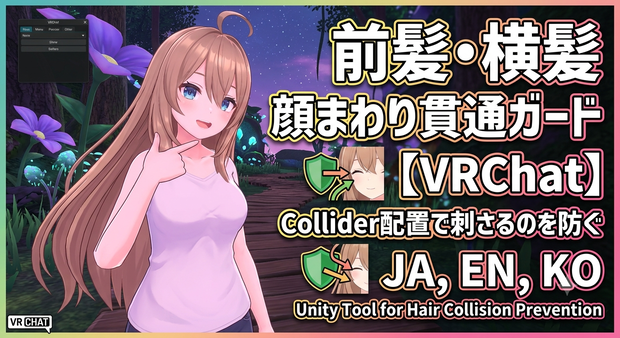
前髪・横髪 顔まわり貫通ガード - 前髪/横髪が顔・首・胸元に刺さるのをCollider配置で減らすUnityツール【VRChat】【JA,EN,KO】
상품 설명
「前髪が頬や目元に刺さる」「横髪が首にめり込む」「胸前に垂れる髪が撮影で暴れる」。
前髪・横髪 顔まわり貫通ガードは、前髪/横髪/もみあげ/胸前に垂れる髪のPhysBoneまわりを、Unity上で整える補助ツールです。顔・頬・首・肩・胸元に小さめのCollider候補をまとめて配置します。Blender不要。
◆ ここがうれしい
・前髪/横髪/もみあげ/胸前髪の顔まわり貫通をまとめて確認
・おでこ、顔中央、左右ほほ、あご横、首、肩、胸元のColliderガイドを自動配置
・VRChat SDKがある環境ではVRC PhysBone Collider候補も作成
・Bangs Photo / Side Hair / TwinTail Front / Hand Pose Safe など撮影・ポーズ向けプリセット
・顔まわり用に小さめのColliderから始めるので、表情や撮影の邪魔になりにくい
・非破壊。元アバターや髪メッシュは直接書き換えません
・日本語 / English / 한국어 UI同梱
◆ 使い方
1. Unityでツールを開く: Tools > tool > 前髪・横髪 顔まわり貫通ガード
2. Avatar Rootを入れる
3. プリセットを選ぶ
4.「顔まわり髪Colliderを配置」を押す
5. Play ModeやVRChat SDK環境で、前髪・横髪・胸前髪の揺れを見ながらサイズを微調整
※ 自動補助ツールのため、全アバター/全髪型/全ポーズで完全な貫通ゼロを保証するものではありません。PhysBone設定・髪の分割・顔/胸元の形状により微調整が必要です。
Unity 2022.3 / VCC環境向け。VRChat SDKなしでもUnity Colliderガイドとして使用できます。
--- English ---
Bangs clipping into the cheeks or eyes. Side hair sinking into the neck. Front hair moving too much around the chest during photo poses.
Face Hair Clip Guard is a Unity editor helper for bangs, side hair, face-side strands and chest-front hair PhysBone setups. It places small collider candidates around the forehead, face, cheeks, jaw, neck, shoulders and upper chest. No Blender required.
Highlights
- Checks bangs / side hair / face-side strands / chest-front hair in one tool
- Places collider guides for forehead, face center, cheeks, jaw sides, neck, shoulders and chest
- Creates VRC PhysBone Collider candidates when VRChat SDK is available
- Presets for photo and pose use: Bangs Photo / Side Hair / TwinTail Front / Hand Pose Safe
- Starts with smaller face-area colliders so it is less likely to disturb expressions or close-up shots
- Non-destructive: it does not edit the original avatar or hair mesh
- Includes Japanese / English / Korean UI and product text
How to use
1. Open Tools > tool > Face Hair Clip Guard
2. Assign Avatar Root
3. Choose a preset
4. Click Place Face-Hair Colliders
5. Fine-tune collider sizes in Play Mode or a VRChat SDK project while checking bangs, side hair and chest-front hair motion
This is an assist tool, not a perfect anti-clipping guarantee. Final tuning may be needed depending on the avatar, hairstyle, PhysBone setup and poses.
--- 한국어 ---
■ 상품명
앞머리・옆머리 얼굴 관통 가드 - 얼굴/목/가슴 관통을 Collider 배치로 줄이는 Unity 툴【VRChat】【JA,EN,KO】
■ 설명
앞머리가 볼이나 눈가에 파고들거나, 옆머리가 목에 들어가거나, 가슴 앞으로 내려오는 머리가 촬영 포즈에서 과하게 흔들릴 때를 위한 Unity 보조 툴입니다.
앞머리・옆머리 얼굴 관통 가드는 앞머리/옆머리/구레나룻/가슴 앞 머리 PhysBone 주변을 Unity에서 정리합니다. 이마, 얼굴 중앙, 양쪽 볼, 턱 옆, 목, 어깨, 가슴 위쪽에 작은 Collider 후보를 배치합니다. Blender가 필요 없습니다.
특징
- 앞머리/옆머리/구레나룻/가슴 앞 머리의 얼굴 주변 관통을 한 번에 확인
- 이마, 얼굴 중앙, 볼, 턱 옆, 목, 어깨, 가슴 Collider 가이드 자동 배치
- VRChat SDK가 있으면 VRC PhysBone Collider 후보도 생성
- Bangs Photo / Side Hair / TwinTail Front / Hand Pose Safe 프리셋
- 얼굴 주변용 작은 Collider부터 배치하여 표정이나 근접 촬영을 방해하기 어렵게 설계
- 비파괴 방식. 원본 아바타나 머리 메시는 직접 수정하지 않습니다
- 일본어 / English / 한국어 UI 포함
사용법
1. Tools > tool > 앞머리・옆머리 얼굴 관통 가드 열기
2. Avatar Root 지정
3. 프리셋 선택
4. 얼굴 주변 머리 Collider 배치 실행
5. Play Mode 또는 VRChat SDK 환경에서 앞머리/옆머리/가슴 앞 머리 움직임을 보며 Collider 크기를 조정
자동 보조 툴이므로 모든 아바타/헤어스타일/포즈에서 완전한 관통 방지를 보장하지는 않습니다. 최종 PhysBone 조정이 필요할 수 있습니다.
모든 리뷰
더보기리뷰 등록
리뷰를 작성하려면 로그인이 필요합니다.
로그인하고 리뷰 쓰기