'%3e%3cg%20clip-path='url(%23roundHexB)'%3e%3cpath%20fill='%236D5DFC'%20d='M256%2040%20443%20148%20443%20364%20256%20472%2069%20364%2069%20148Z'/%3e%3cpath%20fill='%239C93FB'%20d='M69%20148%20256%2040%20443%20148%20256%20256Z'/%3e%3cpath%20fill='%234A3FD1'%20d='M256%20256%20443%20148%20443%20364%20256%20472Z'/%3e%3c/g%3e%3c!--%20top%20face:%20filled%20round%20magnifier%20--%3e%3cg%20transform='matrix(0.8660254,-0.5,0.8660254,0.5,69,148)'%3e%3cg%20transform='matrix(0.935,0,0,0.935,7.02,7.02)'%3e%3ccircle%20cx='88'%20cy='88'%20r='52'%20fill='%23FFFFFF'/%3e%3ccircle%20cx='88'%20cy='88'%20r='28'%20fill='%239C93FB'/%3e%3cpath%20d='M124%20124%20164%20164'%20stroke='%23FFFFFF'%20stroke-width='26'%20stroke-linecap='round'/%3e%3c/g%3e%3c/g%3e%3cg%20transform='matrix(0.8660254,0.5,0,1,69,148)'%3e%3cpath%20d='M96.1,61.08%20L45.9,128.92%20Q34,145%2054,145%20L162,145%20Q182,145%20170.1,128.92%20L119.9,61.08%20Q108,45%2096.1,61.08%20Z'%20fill='%23FFFFFF'/%3e%3c/g%3e%3c!--%20right%20face:%20filled%20bubble%20--%3e%3cg%20transform='matrix(0.8660254,-0.5,0,1,256,256)'%3e%3cg%20transform='matrix(0.855,0,0,0.855,15.66,15.66)'%3e%3cpath%20d='M60%2042H156a28%2028%200%200%201%2028%2028V158Q184%20168%20174.47%20164.96L124.53%20149.04Q115%20146%20105%20146H60a28%2028%200%200%201-28-28V70a28%2028%200%200%201%2028-28Z'%20fill='%23FFFFFF'/%3e%3c/g%3e%3c/g%3e%3c/g%3e%3c/svg%3e)
 おたこのBooth
상품 설명
【収録内容】
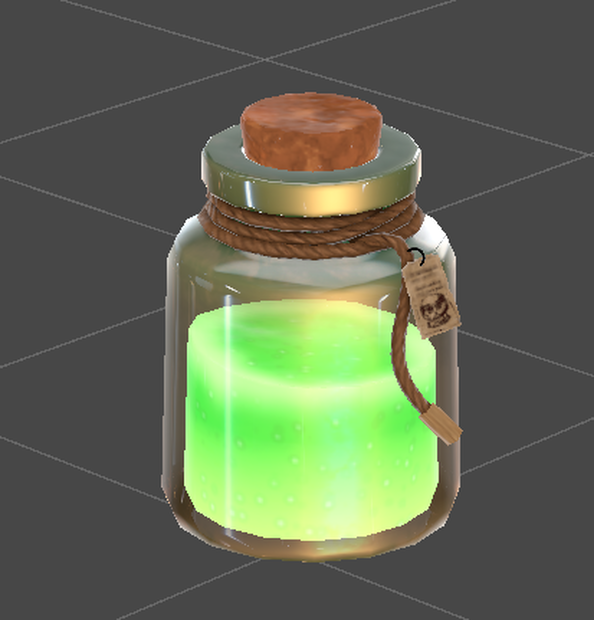
ポーション瓶(緑)
・ポリゴン数1876
・テクスチャ3枚(1024×1024)
・マテリアル2個
【導入手順】
1. lilToon_x.x.x.unitypackage を先にインポート
2. potionPack.unitypackage をインポート
3. Prefabsフォルダ内のPrefabをシーンに配置
※ lilToonを先にインポートしないとマテリアルが
ピンク(Missing)になります。
【必要なシェーダー】
lilToon(同梱のunitypackageを使用してください)
配布元:https://booth.pm/ja/items/3087170
【利用規約】
・改変:不可
・再配布:不可
・商用利用:不可
・クレジット表記:任意
============================================
Potion Bottle - Green v1.0
============================================
[Contents]
Potion Bottle (Green)
・Polygon count: 1,876
・Textures: 3 (1024x1024)
・Materials: 2
[Setup Instructions]
1. Import lilToon_x.x.x.unitypackage first
2. Import potionPack.unitypackage
3. Place the Prefab from the Prefabs folder into your scene
※ If lilToon is not imported first, materials will
appear pink (Missing shader).
[Required Shader]
lilToon (included unitypackage)
Download: https://booth.pm/ja/items/3087170
[Terms of Use]
・Modification: Not allowed
・Redistribution: Not allowed
・Commercial use: Not allowed
・Credit: Optional
[Contact]
Feel free to leave a comment on the BOOTH page.
============================================
모든 리뷰
더보기리뷰 등록
리뷰를 작성하려면 로그인이 필요합니다.
로그인하고 리뷰 쓰기