'%3e%3cg%20clip-path='url(%23roundHexB)'%3e%3cpath%20fill='%236D5DFC'%20d='M256%2040%20443%20148%20443%20364%20256%20472%2069%20364%2069%20148Z'/%3e%3cpath%20fill='%239C93FB'%20d='M69%20148%20256%2040%20443%20148%20256%20256Z'/%3e%3cpath%20fill='%234A3FD1'%20d='M256%20256%20443%20148%20443%20364%20256%20472Z'/%3e%3c/g%3e%3c!--%20top%20face:%20filled%20round%20magnifier%20--%3e%3cg%20transform='matrix(0.8660254,-0.5,0.8660254,0.5,69,148)'%3e%3cg%20transform='matrix(0.935,0,0,0.935,7.02,7.02)'%3e%3ccircle%20cx='88'%20cy='88'%20r='52'%20fill='%23FFFFFF'/%3e%3ccircle%20cx='88'%20cy='88'%20r='28'%20fill='%239C93FB'/%3e%3cpath%20d='M124%20124%20164%20164'%20stroke='%23FFFFFF'%20stroke-width='26'%20stroke-linecap='round'/%3e%3c/g%3e%3c/g%3e%3cg%20transform='matrix(0.8660254,0.5,0,1,69,148)'%3e%3cpath%20d='M96.1,61.08%20L45.9,128.92%20Q34,145%2054,145%20L162,145%20Q182,145%20170.1,128.92%20L119.9,61.08%20Q108,45%2096.1,61.08%20Z'%20fill='%23FFFFFF'/%3e%3c/g%3e%3c!--%20right%20face:%20filled%20bubble%20--%3e%3cg%20transform='matrix(0.8660254,-0.5,0,1,256,256)'%3e%3cg%20transform='matrix(0.855,0,0,0.855,15.66,15.66)'%3e%3cpath%20d='M60%2042H156a28%2028%200%200%201%2028%2028V158Q184%20168%20174.47%20164.96L124.53%20149.04Q115%20146%20105%20146H60a28%2028%200%200%201-28-28V70a28%2028%200%200%201%2028-28Z'%20fill='%23FFFFFF'/%3e%3c/g%3e%3c/g%3e%3c/g%3e%3c/svg%3e)
 NyaPPu
상품 설명
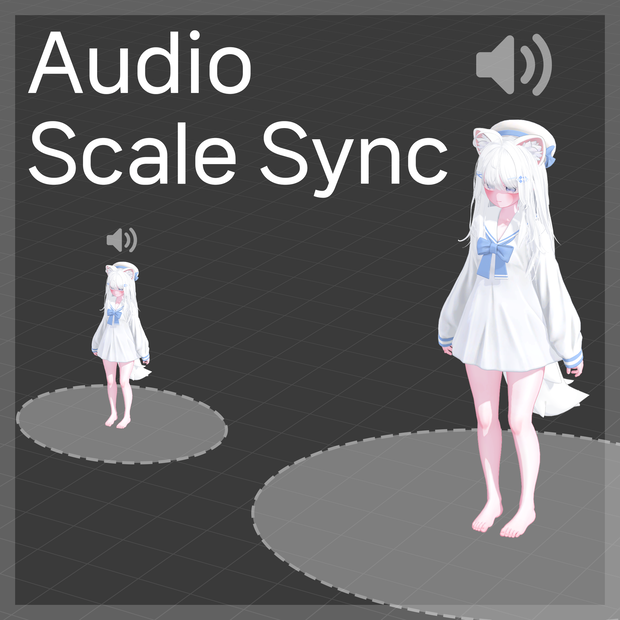
아바타 스케일을 바꾸면 지정된 Audio Source의 범위도 같은 비율로 조절해주는 도구입니다.
アバタースケールを変更すると、指定されたAudio Sourceの範囲も同じ比率で調整してくれるツールです。
If you change the avatar scale, it is a tool that adjusts the range of the specified audio source at the same rate.
# How to use · 導入方法 · 사용법
1. unitypackage 파일을 임포트합니다.
2-A. 설정할 AudioSource가 있는 곳에 Audio Scale Sync 컴포넌트를 추가합니다.
2-B. 또는 아무 곳이나 Audio Scale Sync 컴포넌트를 추가하고 고급 설정에서 오디오 소스를 "지정 목록" 또는 "자식 오디오"로 설정합니다.
1. unitypackageファイルをインポートします。
2-A. 設定するAudioSourceがある場所にAudio Scale Syncコンポーネントを追加します。
2-B. または、任意の場所にAudio Scale Syncコンポーネントを追加し、高度な設定でオーディオソースを「指定リスト」または「子オーディオ」に設定します。
1. Import the unitypackage file.
2-A. Add the Audio Scale Sync component where the Audio Source you want to set is located.
2-B. Or add the Audio Scale Sync component anywhere and set the audio source to "Specified List" or "Child Audio" in the advanced settings.
# Changelog · 変更履歴 · 변경내역
2026.05.22 v1.0.0
- 출시
2026.08.24 v1.0.1
- 공용 코드 업데이트
- NDMF 최신 환경, 언어 설정 반영
모든 리뷰
더보기리뷰 등록
리뷰를 작성하려면 로그인이 필요합니다.
로그인하고 리뷰 쓰기