'%3e%3cg%20clip-path='url(%23roundHexB)'%3e%3cpath%20fill='%236D5DFC'%20d='M256%2040%20443%20148%20443%20364%20256%20472%2069%20364%2069%20148Z'/%3e%3cpath%20fill='%239C93FB'%20d='M69%20148%20256%2040%20443%20148%20256%20256Z'/%3e%3cpath%20fill='%234A3FD1'%20d='M256%20256%20443%20148%20443%20364%20256%20472Z'/%3e%3c/g%3e%3c!--%20top%20face:%20filled%20round%20magnifier%20--%3e%3cg%20transform='matrix(0.8660254,-0.5,0.8660254,0.5,69,148)'%3e%3cg%20transform='matrix(0.935,0,0,0.935,7.02,7.02)'%3e%3ccircle%20cx='88'%20cy='88'%20r='52'%20fill='%23FFFFFF'/%3e%3ccircle%20cx='88'%20cy='88'%20r='28'%20fill='%239C93FB'/%3e%3cpath%20d='M124%20124%20164%20164'%20stroke='%23FFFFFF'%20stroke-width='26'%20stroke-linecap='round'/%3e%3c/g%3e%3c/g%3e%3cg%20transform='matrix(0.8660254,0.5,0,1,69,148)'%3e%3cpath%20d='M96.1,61.08%20L45.9,128.92%20Q34,145%2054,145%20L162,145%20Q182,145%20170.1,128.92%20L119.9,61.08%20Q108,45%2096.1,61.08%20Z'%20fill='%23FFFFFF'/%3e%3c/g%3e%3c!--%20right%20face:%20filled%20bubble%20--%3e%3cg%20transform='matrix(0.8660254,-0.5,0,1,256,256)'%3e%3cg%20transform='matrix(0.855,0,0,0.855,15.66,15.66)'%3e%3cpath%20d='M60%2042H156a28%2028%200%200%201%2028%2028V158Q184%20168%20174.47%20164.96L124.53%20149.04Q115%20146%20105%20146H60a28%2028%200%200%201-28-28V70a28%2028%200%200%201%2028-28Z'%20fill='%23FFFFFF'/%3e%3c/g%3e%3c/g%3e%3c/g%3e%3c/svg%3e)
 oono-kazuki
상품 설명
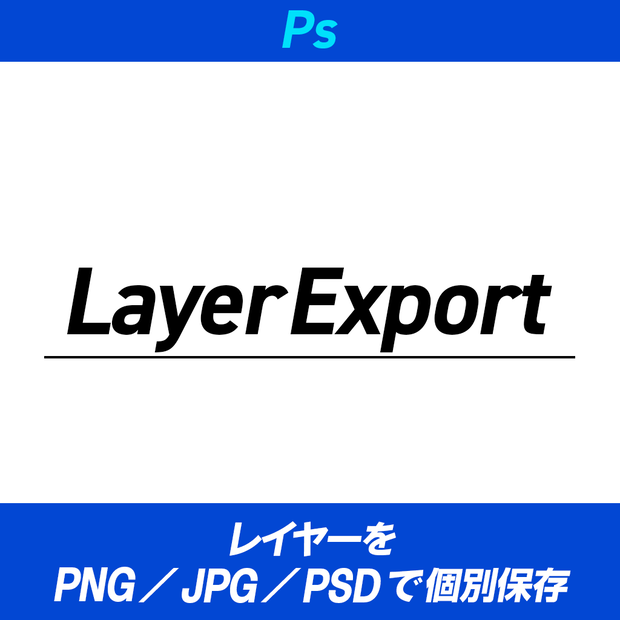
選択したレイヤーをまとめて書き出す Photoshop スクリプトです。
---
・主な機能
選択レイヤーの一括書き出し
レイヤーパネルで選択した複数レイヤーを、それぞれ独立したファイルとして書き出します。
PNG / JPG / PSD のいずれかをラジオボタンで切り替え可能。
ファイル名 = レイヤー名
出力ファイル名はレイヤー名そのまま。
---
・動作環境
mac M1 MAX (OS Tahoe 26.1) - Adobe Photoshop 2026, 2025 で検証済
---
・注意事項
- レイヤー名にファイル名として使えない文字(\ / : \* ? " < > |)が含まれているとエラーになります
- 同名レイヤーを複数選択した場合、出力ファイルは後勝ちで上書きされます
利用規約
・使用する場合は自己責任でお願いいたします
・法律に反する行為への使用は禁止いたします
・データの再販売、再配布する事は禁止いたします
・正しく動作しない、データが破損したなど損害が発生した場合も対応しておりません
・インボイス非対応になります
ーーーーーー
This is a Photoshop script that batch-exports selected layers from a document. (English description below.)
Key Features: Batch Export of Selected Layers — Each layer selected in the Layers panel is exported as an independent file. Choose between PNG, JPG, or PSD via a radio button in the dialog. Filename = Layer Name — Output filenames match each layer's name exactly, so the naming stays consistent whether you run this script or export manually. Fast PSD via New Document — For PSD output, a blank document is generated and only the target layer is duplicated into it, keeping processing fast even on heavy multi-layer PSDs. The source file is never modified.
System Requirements: Verified on Mac M1 MAX (OS Tahoe 26.1) - Adobe Photoshop 2026, 2025.
Notes:
Backing up your PSD before execution is recommended.
Layer names containing characters invalid for filenames (\ / : * ? " < > |) will cause an error.
If multiple selected layers share the same name, the resulting files will overwrite each other.
---
모든 리뷰
더보기리뷰 등록
리뷰를 작성하려면 로그인이 필요합니다.
로그인하고 리뷰 쓰기