'%3e%3cg%20clip-path='url(%23roundHexB)'%3e%3cpath%20fill='%236D5DFC'%20d='M256%2040%20443%20148%20443%20364%20256%20472%2069%20364%2069%20148Z'/%3e%3cpath%20fill='%239C93FB'%20d='M69%20148%20256%2040%20443%20148%20256%20256Z'/%3e%3cpath%20fill='%234A3FD1'%20d='M256%20256%20443%20148%20443%20364%20256%20472Z'/%3e%3c/g%3e%3c!--%20top%20face:%20filled%20round%20magnifier%20--%3e%3cg%20transform='matrix(0.8660254,-0.5,0.8660254,0.5,69,148)'%3e%3cg%20transform='matrix(0.935,0,0,0.935,7.02,7.02)'%3e%3ccircle%20cx='88'%20cy='88'%20r='52'%20fill='%23FFFFFF'/%3e%3ccircle%20cx='88'%20cy='88'%20r='28'%20fill='%239C93FB'/%3e%3cpath%20d='M124%20124%20164%20164'%20stroke='%23FFFFFF'%20stroke-width='26'%20stroke-linecap='round'/%3e%3c/g%3e%3c/g%3e%3cg%20transform='matrix(0.8660254,0.5,0,1,69,148)'%3e%3cpath%20d='M96.1,61.08%20L45.9,128.92%20Q34,145%2054,145%20L162,145%20Q182,145%20170.1,128.92%20L119.9,61.08%20Q108,45%2096.1,61.08%20Z'%20fill='%23FFFFFF'/%3e%3c/g%3e%3c!--%20right%20face:%20filled%20bubble%20--%3e%3cg%20transform='matrix(0.8660254,-0.5,0,1,256,256)'%3e%3cg%20transform='matrix(0.855,0,0,0.855,15.66,15.66)'%3e%3cpath%20d='M60%2042H156a28%2028%200%200%201%2028%2028V158Q184%20168%20174.47%20164.96L124.53%20149.04Q115%20146%20105%20146H60a28%2028%200%200%201-28-28V70a28%2028%200%200%201%2028-28Z'%20fill='%23FFFFFF'/%3e%3c/g%3e%3c/g%3e%3c/g%3e%3c/svg%3e)
 じゅうのじゅうばい
 【無料/投げ銭】Mollusk Voice Changer(イカタコボイスチェンジャー)【Free/Donate】
상품 설명
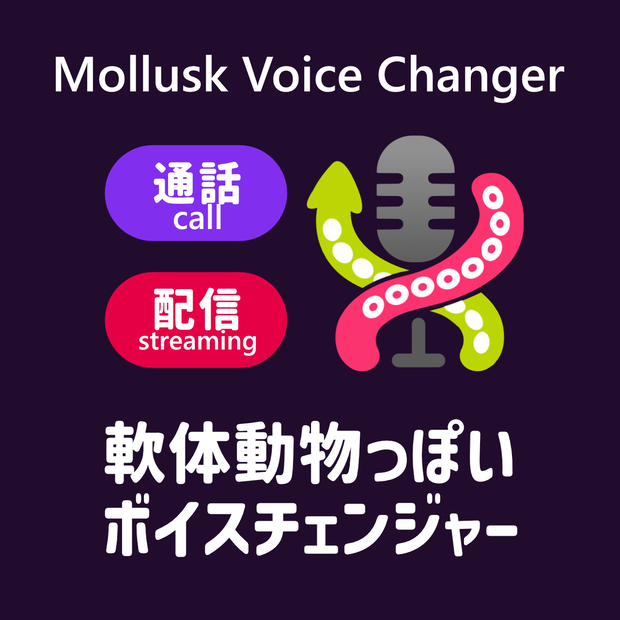
『Mollusk Voice Changer』は、リアルタイムであなたの声をイカやタコのような、独特な質感を持つ「軟体生物ボイス」へと加工する、通話・配信向けボイスチェンジャーです。
配信のネタにするもよし、あるいはフレンドとDisccordで通話しながらゲームするもよし。独特なぶくぶくぬるぬる水中ボイスで楽しもう!
----------------
Mollusk Voice Changer is a voice changer for calls and streaming that transforms your voice in real-time into a unique "mollusk voice" with the texture of a squid or octopus.
Use it as a gag for your stream, or have fun while gaming with friends on Discord. Enjoy that signature bubbly, slimy underwater sound!
初回セットアップ / Initial Setup
1. 仮想オーディオデバイス をインストールし、PC を再起動する。
2. Mollusk Voice Changer を起動し、
「AUDIO SETTINGS」から以下を設定する。
入力デバイス : お使いのマイク
出力デバイス : 仮想オーディオデバイスの入力
(例)CABLE Input (VB-Audio Virtual Cable)
3. お使いの通話・配信アプリの設定で、
マイク(入力)デバイスを仮想オーディオデバイスの出力に変更する
(例)CABLE Output (VB-Audio Virtual Cable)
[!Tips]
Disccord等の通話アプリケーションを使用の際は、
通話アプリケーション側のノイズキャンセルによって、
加工された声がキャンセリングされることがあります。
通話アプリケーション側のノイズキャンセル機能をOFFにすることをおすすめします。
----------------
1. Install the virtual audio device and restart your PC.
2. Launch Mollusk Voice Changer and open "AUDIO SETTINGS".
Configure as follows:
Input device : Your microphone
Output device : Virtual audio device input
(e.g.) CABLE Input (VB-Audio Virtual Cable)
3. In your call or streaming application, change the
microphone (input) device to the virtual audio device output.
(e.g.) CABLE Output (VB-Audio Virtual Cable)
[!Tips]
Some communication apps (e.g. Discord) may use noise
cancellation that filters out the processed voice.
It is recommended to disable noise cancellation in the app.
基本的な使い方 / Basic Usage
■ プリセットを選ぶ
画面上部の 4 つのボタン(Squid Girl / Boy、Octopus Girl / Boy)
から好みのキャラクターを選択する。
■ Basic モード(デフォルト)
7 つのノブで音声を調整する。
INPUT SENSITIVITY マイクの感度(ノイズゲート)
PITCH 声の高さ
BRIGHTNESS 声の明るさ(フォルマント)
BUBBLE 揺らぎ(LFO フィルター)
SLIMY ぬめり感(フェイザー)
LO-FI こもり感(バンドパスフィルター)
VOLUME 出力音量
■ Advanced モード
「ADVANCED」ボタンで切り替え。
各エフェクトを個別に細かく調整できる。
■ プリセットの保存・読み込み
「EXPORT PRESET」/ 「IMPORT PRESET」で
現在の設定を XML ファイルとして保存・読み込みできる。
■ 終了と次回起動
終了時に設定が自動保存され、次回起動時に復元される。
----------------
■ Select a Preset
Choose from the four buttons at the top of the screen:
Squid Girl / Squid Boy / Octopus Girl / Octopus Boy.
■ Basic Mode (default)
Adjust your voice with 7 knobs:
INPUT SENSITIVITY Microphone sensitivity (noise gate)
PITCH Voice pitch
BRIGHTNESS Voice brightness (formant)
BUBBLE Wobble (LFO filter)
SLIMY Sliminess (phaser)
LO-FI Muffled tone (band-pass filter)
VOLUME Output volume
■ Advanced Mode
Click "ADVANCED" to access per-effect fine-tuning.
■ Preset Export / Import
Save and load your settings as XML files via
"EXPORT PRESET" / "IMPORT PRESET".
■ Session Restore
Settings are saved automatically on exit and
restored on next launch.
動作環境 / System Requirements
OS : Windows 10 / 11(64bit)/ MacOS
必須(Required) : 仮想オーディオデバイス(Virtual audio device)
■Win
VB-CABLE Virtual Audio Device(Donate/Free)
■Mac
BlackHole (Donate/Free)
https://existential.audio/blackhole/
配布条件 / Distribution Terms
・個人・商用を問わず、無償で使用できます。
・再配布を行う場合は、事前に作者へご連絡ください。
----------------
- Free to use for both personal and commercial purposes.
- Redistribution requires prior permission from the author.
使用しているライブラリ・フォント / Credits
JUCE Framework
© Raw Material Software Limited
Bungee / RocknRoll One / Alfa Slab One / Rubik Glitch
Google Fonts(SIL Open Font License 1.1)
免責事項 / Disclaimer
本ソフトウェアは現状のまま提供されます。
使用によって生じたいかなる損害についても、
作者は一切の責任を負いません。
----------------
This software is provided "as is", without warranty of any kind.
The author shall not be liable for any damages arising from
the use of this software.
アップデート履歴
[2026-05-06: v1.0.0] 公開
連絡先 / Contact
Mail : [email protected]
X : @ito_74
모든 리뷰
더보기리뷰 등록
리뷰를 작성하려면 로그인이 필요합니다.
로그인하고 리뷰 쓰기