'%3e%3cg%20clip-path='url(%23roundHexB)'%3e%3cpath%20fill='%236D5DFC'%20d='M256%2040%20443%20148%20443%20364%20256%20472%2069%20364%2069%20148Z'/%3e%3cpath%20fill='%239C93FB'%20d='M69%20148%20256%2040%20443%20148%20256%20256Z'/%3e%3cpath%20fill='%234A3FD1'%20d='M256%20256%20443%20148%20443%20364%20256%20472Z'/%3e%3c/g%3e%3c!--%20top%20face:%20filled%20round%20magnifier%20--%3e%3cg%20transform='matrix(0.8660254,-0.5,0.8660254,0.5,69,148)'%3e%3cg%20transform='matrix(0.935,0,0,0.935,7.02,7.02)'%3e%3ccircle%20cx='88'%20cy='88'%20r='52'%20fill='%23FFFFFF'/%3e%3ccircle%20cx='88'%20cy='88'%20r='28'%20fill='%239C93FB'/%3e%3cpath%20d='M124%20124%20164%20164'%20stroke='%23FFFFFF'%20stroke-width='26'%20stroke-linecap='round'/%3e%3c/g%3e%3c/g%3e%3cg%20transform='matrix(0.8660254,0.5,0,1,69,148)'%3e%3cpath%20d='M96.1,61.08%20L45.9,128.92%20Q34,145%2054,145%20L162,145%20Q182,145%20170.1,128.92%20L119.9,61.08%20Q108,45%2096.1,61.08%20Z'%20fill='%23FFFFFF'/%3e%3c/g%3e%3c!--%20right%20face:%20filled%20bubble%20--%3e%3cg%20transform='matrix(0.8660254,-0.5,0,1,256,256)'%3e%3cg%20transform='matrix(0.855,0,0,0.855,15.66,15.66)'%3e%3cpath%20d='M60%2042H156a28%2028%200%200%201%2028%2028V158Q184%20168%20174.47%20164.96L124.53%20149.04Q115%20146%20105%20146H60a28%2028%200%200%201-28-28V70a28%2028%200%200%201%2028-28Z'%20fill='%23FFFFFF'/%3e%3c/g%3e%3c/g%3e%3c/g%3e%3c/svg%3e)
 Komiark
상품 설명
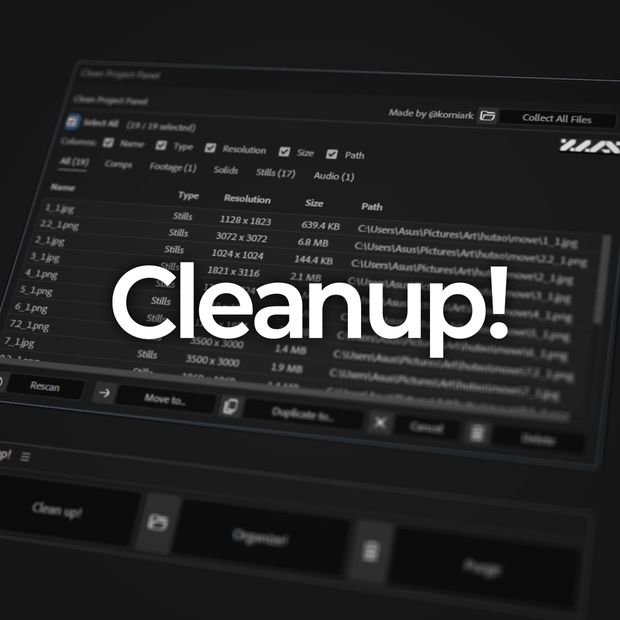
CleanUp! is an After effects Script for Adobe After Effects designed to manage and declutter the Project Panel and functions as either a dockable ScriptUI panel or a standalone floating window.
Key Features:
Project Cleaning (Clean up!):
-Unused Item Scanner: Automatically identifies compositions with no layers and footage items not used in any compositions.
-Filtered View: Allows you to browse unused items by category, such as Comps, Footage, Solids, Stills, or Audio.
-Batch Actions: Quickly delete selected items or relink/move their source files to a new destination folder to keep your drive organized.
-Detailed Metadata: Displays resolution, file size, and file paths directly within the cleanup interface.
Project Organization (Organize!):
-Automatic Sorting: One-click sorting of loose project items into standardized top-level folders (e.g., /Comps, /Footage, /Audio).
-Smart Handling: Detects items already in folders and offers the choice to leave them or re-sort them into the new structure.
System Maintenance (Purge):
-Cache Clearing: Includes a dedicated button to instantly purge all After Effects caches (image, video, and undo) to reclaim memory.
Adaptive Interface:
Responsive Layout:
The panel dynamically changes its layout (row vs. column) and button labels (full text vs. icons) based on the size of the docked panel in your workspace.
---------------------------------------------------------------------------
CleanUp!は、Adobe After Effectsのプロジェクトパネルを整理・管理するために設計されたスクリプトです。ドッキング可能なScriptUIパネル、またはフローティングウィンドウとして使用できます。
主な機能
プロジェクトのクリーンアップ (Clean up!):
- 未使用項目のスキャナー: レイヤーのないコンポジションや、どのコンポジションにも使用されていないフッテージを自動的に特定します。
- フィルター表示: 未使用の項目をコンポジション、フッテージ、平面、静止画、オーディオなどのカテゴリ別に閲覧できます。
- 一括操作: 選択した項目を素早く削除したり、ソースファイルを新しい保存先フォルダに移動・再リンクしてドライブを整理したりできます。
- 詳細なメタデータ: 解像度、ファイルサイズ、ファイルパスをクリーンアップ画面内で直接確認できます。
プロジェクトの整理 (Organize!):
- 自動ソート: ワンクリックで、散らかったプロジェクト項目を標準的なトップレベルフォルダ(例:/Comps, /Footage, /Audio)に整理します。
- スマートな処理: すでにフォルダ内にある項目を検出し、そのままにするか、新しい構造に再ソートするかを選択できます。
システムメンテナンス (Purge):
- キャッシュの消去: 画像、ビデオ、アンドゥ(やり直し)などのすべてのAfter Effectsキャッシュを即座に消去し、メモリを解放する専用ボタンを搭載しています。
アダプティブ・インターフェース:
- レスポンシブ・レイアウト: ワークスペース内のパネルサイズに合わせて、レイアウト(行/列)やボタンのラベル(フルテキスト/アイコン)が動的に変化します。
Creator: @komiark | https://www.instagram.com/komiark
모든 리뷰
더보기리뷰 등록
리뷰를 작성하려면 로그인이 필요합니다.
로그인하고 리뷰 쓰기