'%3e%3cg%20clip-path='url(%23roundHexB)'%3e%3cpath%20fill='%236D5DFC'%20d='M256%2040%20443%20148%20443%20364%20256%20472%2069%20364%2069%20148Z'/%3e%3cpath%20fill='%239C93FB'%20d='M69%20148%20256%2040%20443%20148%20256%20256Z'/%3e%3cpath%20fill='%234A3FD1'%20d='M256%20256%20443%20148%20443%20364%20256%20472Z'/%3e%3c/g%3e%3c!--%20top%20face:%20filled%20round%20magnifier%20--%3e%3cg%20transform='matrix(0.8660254,-0.5,0.8660254,0.5,69,148)'%3e%3cg%20transform='matrix(0.935,0,0,0.935,7.02,7.02)'%3e%3ccircle%20cx='88'%20cy='88'%20r='52'%20fill='%23FFFFFF'/%3e%3ccircle%20cx='88'%20cy='88'%20r='28'%20fill='%239C93FB'/%3e%3cpath%20d='M124%20124%20164%20164'%20stroke='%23FFFFFF'%20stroke-width='26'%20stroke-linecap='round'/%3e%3c/g%3e%3c/g%3e%3cg%20transform='matrix(0.8660254,0.5,0,1,69,148)'%3e%3cpath%20d='M96.1,61.08%20L45.9,128.92%20Q34,145%2054,145%20L162,145%20Q182,145%20170.1,128.92%20L119.9,61.08%20Q108,45%2096.1,61.08%20Z'%20fill='%23FFFFFF'/%3e%3c/g%3e%3c!--%20right%20face:%20filled%20bubble%20--%3e%3cg%20transform='matrix(0.8660254,-0.5,0,1,256,256)'%3e%3cg%20transform='matrix(0.855,0,0,0.855,15.66,15.66)'%3e%3cpath%20d='M60%2042H156a28%2028%200%200%201%2028%2028V158Q184%20168%20174.47%20164.96L124.53%20149.04Q115%20146%20105%20146H60a28%2028%200%200%201-28-28V70a28%2028%200%200%201%2028-28Z'%20fill='%23FFFFFF'/%3e%3c/g%3e%3c/g%3e%3c/g%3e%3c/svg%3e)
 哈哈魯Hal
상품 설명
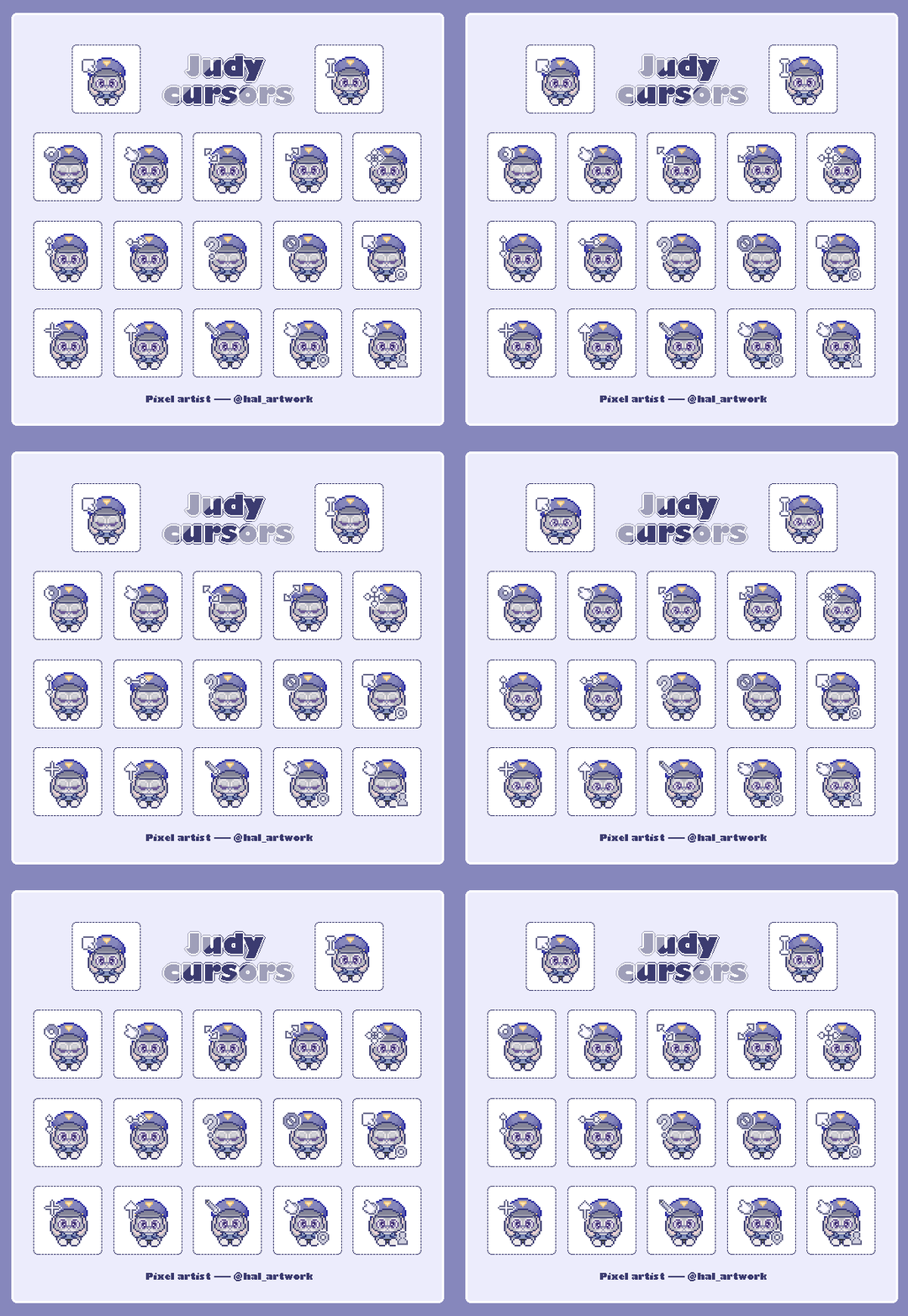
※日本語verと英語verがありますが中身は変わりません。
※There are Japanese ver and English ver, but the contents are the same.
×Custom Cursor Commission
→vgen.co/Hal_artwork
◆使用方法◆
設定方法(Windows 10)
解凍したファイル又はフォルダをカーソルフォルダ(C:\Windows\Cursors)に移動する。
PC左下のスタートメニューから[設定]→[デバイス]→[マウス]→[その他のマウスオプション]→[ポインター]で設定できます。
◆注意事項◆
※自作発言、二次配布、再加工、販売は禁止です。
◆How to Use◆
How to Set Up (Windows 10)
Move the extracted files or folder to the Cursors directory
(C:\Windows\Cursors).
Follow the steps below to apply the cursor:
Click the Start menu in the lower-left corner → Settings → Devices → Mouse → Additional mouse options → Pointers.
◆Important Notes◆
Do not claim my work as your own work, sell, edit the artwork, or redistribute my work.
모든 리뷰
더보기리뷰 등록
리뷰를 작성하려면 로그인이 필요합니다.
로그인하고 리뷰 쓰기불러오는 중
관련 상품
불러오는 중