'%3e%3cg%20clip-path='url(%23roundHexB)'%3e%3cpath%20fill='%236D5DFC'%20d='M256%2040%20443%20148%20443%20364%20256%20472%2069%20364%2069%20148Z'/%3e%3cpath%20fill='%239C93FB'%20d='M69%20148%20256%2040%20443%20148%20256%20256Z'/%3e%3cpath%20fill='%234A3FD1'%20d='M256%20256%20443%20148%20443%20364%20256%20472Z'/%3e%3c/g%3e%3c!--%20top%20face:%20filled%20round%20magnifier%20--%3e%3cg%20transform='matrix(0.8660254,-0.5,0.8660254,0.5,69,148)'%3e%3cg%20transform='matrix(0.935,0,0,0.935,7.02,7.02)'%3e%3ccircle%20cx='88'%20cy='88'%20r='52'%20fill='%23FFFFFF'/%3e%3ccircle%20cx='88'%20cy='88'%20r='28'%20fill='%239C93FB'/%3e%3cpath%20d='M124%20124%20164%20164'%20stroke='%23FFFFFF'%20stroke-width='26'%20stroke-linecap='round'/%3e%3c/g%3e%3c/g%3e%3cg%20transform='matrix(0.8660254,0.5,0,1,69,148)'%3e%3cpath%20d='M96.1,61.08%20L45.9,128.92%20Q34,145%2054,145%20L162,145%20Q182,145%20170.1,128.92%20L119.9,61.08%20Q108,45%2096.1,61.08%20Z'%20fill='%23FFFFFF'/%3e%3c/g%3e%3c!--%20right%20face:%20filled%20bubble%20--%3e%3cg%20transform='matrix(0.8660254,-0.5,0,1,256,256)'%3e%3cg%20transform='matrix(0.855,0,0,0.855,15.66,15.66)'%3e%3cpath%20d='M60%2042H156a28%2028%200%200%201%2028%2028V158Q184%20168%20174.47%20164.96L124.53%20149.04Q115%20146%20105%20146H60a28%2028%200%200%201-28-28V70a28%2028%200%200%201%2028-28Z'%20fill='%23FFFFFF'/%3e%3c/g%3e%3c/g%3e%3c/g%3e%3c/svg%3e)
 Lydia
Lydia상품 설명
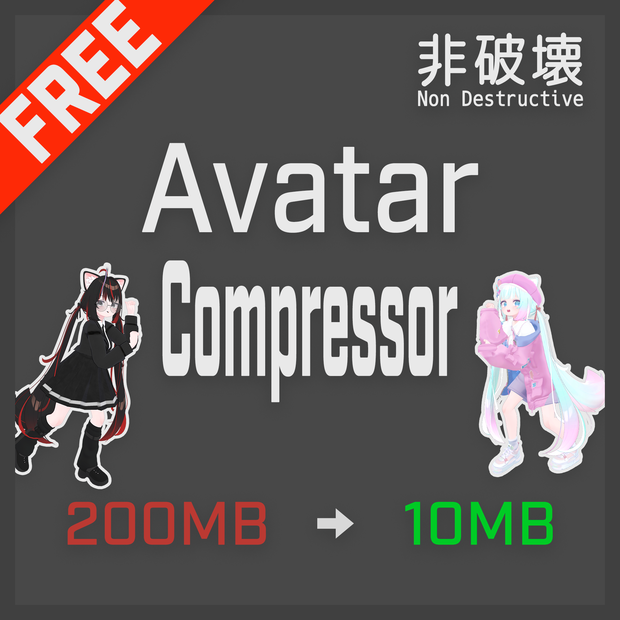
LAC: Avatar Compressor は、軽量な VRChat アバターを作成するためのNDMFユーティリティです。
アバターのアセットを分析し、ビルド時に複雑さに応じた圧縮を適用します。元のファイルは変更されません。
Modular Avatar, Avatar Optimizerと併用可能です。
For English description, please scroll down to the bottom of this page.
公式サイト
詳細な使い方、インストール等は公式サイトを参照ください。
- English
- https://lac.limitex.dev/en/docs/
- 日本語
- https://lac.limitex.dev/ja/docs/
インストール方法(ALCOM, VCC)(推奨)
0. ALCOM, VCC等依存関係をアップデートしてください。
1. こちらのページを開き、「ALCOMに追加」を押してください。
- https://lac.limitex.dev/ja/docs/installation/
2. 指示に従って追加してください。
3. 利用するプロジェクトで、Avatar Compressorを検索して追加します。
インストール方法(UnityPackage)
0. ALCOM, VCC等依存関係をアップデートしてください。
1. ダウンロードした zip を展開し、avatar-compressor-0.x.x-installer.unitypackage をインポートしてください。
2. インストールするか尋ねられるのでInstallをクリックしてください。
UnityPackageについて
このBoothに設置しているunitypackageは、anatawa12氏の開発しているVPAIを利用して生成しています。
- https://github.com/anatawa12/VPMPackageAutoInstaller
こちらのリンクで生成しています。
サポート・質問・バグ報告・リクエストについて
以下のいずれかでお願います。
1. GitHub (推奨)
上記事項はGitHub上でお願いします。
1. バグ報告・機能追加リクエスト
- https://github.com/Limitex/avatar-compressor/issues
2. 質問、サポート
- https://github.com/Limitex/avatar-compressor/discussions
2. X
2. DM 等でお聞きください。
バグ報告等は、起きている現状の環境やエラーメッセージ、期待値との差異など詳細に報告いただけると幸いです。
License
MIT License (c) Limitex
https://opensource.org/license/mit
English Description
LAC: Avatar Compressor is an NDMF utility for creating lightweight VRChat avatars.
It analyzes your avatar's assets and applies compression based on complexity during the build process.
This process is non-destructive, meaning your original files remain unchanged.
It can be used alongside Modular Avatar and Avatar Optimizer.
### Official Website & Documentation
For detailed usage instructions and installation guides, please refer to the official documentation.
- English Docs:
https://lac.limitex.dev/en/docs/
- Japanese Docs:
https://lac.limitex.dev/ja/docs/
### Installation
You can install this tool via ALCOM (VCC) or UnityPackage.
Method 1: ALCOM / VCC (Recommended)
1. Open the following page and click the "Add to ALCOM" button.
https://lac.limitex.dev/en/docs/installation/
2. Follow the instructions to add the repository.
3. In your project, search for "Avatar Compressor" and add it.
Method 2: UnityPackage
1. Extract the downloaded zip file and import `avatar-compressor-0.x.x-installer.unitypackage`.
2. When asked to install `dev.limitex.avatar-compressor`, please proceed with the installation.
About the UnityPackage
The UnityPackage available on this BOOTH page is generated using VPAI developed by anatawa12.
https://github.com/anatawa12/VPMPackageAutoInstaller
### Support & Bug Reports
Please use the following channels for support.
1. GitHub (Recommended)
Please submit bug reports and feature requests here.
- Bug Reports / Feature Requests:
https://github.com/Limitex/avatar-compressor/issues
- Questions / Support:
https://github.com/Limitex/avatar-compressor/discussions
2. X (Twitter)
You can also contact me via DM.
When reporting bugs, please provide detailed information about your environment, error messages, and the difference between the expected and actual behavior.
### License
MIT License (c) Limitex
모든 리뷰
더보기리뷰 등록
리뷰를 작성하려면 로그인이 필요합니다.
로그인하고 리뷰 쓰기