'%3e%3cg%20clip-path='url(%23roundHexB)'%3e%3cpath%20fill='%236D5DFC'%20d='M256%2040%20443%20148%20443%20364%20256%20472%2069%20364%2069%20148Z'/%3e%3cpath%20fill='%239C93FB'%20d='M69%20148%20256%2040%20443%20148%20256%20256Z'/%3e%3cpath%20fill='%234A3FD1'%20d='M256%20256%20443%20148%20443%20364%20256%20472Z'/%3e%3c/g%3e%3c!--%20top%20face:%20filled%20round%20magnifier%20--%3e%3cg%20transform='matrix(0.8660254,-0.5,0.8660254,0.5,69,148)'%3e%3cg%20transform='matrix(0.935,0,0,0.935,7.02,7.02)'%3e%3ccircle%20cx='88'%20cy='88'%20r='52'%20fill='%23FFFFFF'/%3e%3ccircle%20cx='88'%20cy='88'%20r='28'%20fill='%239C93FB'/%3e%3cpath%20d='M124%20124%20164%20164'%20stroke='%23FFFFFF'%20stroke-width='26'%20stroke-linecap='round'/%3e%3c/g%3e%3c/g%3e%3cg%20transform='matrix(0.8660254,0.5,0,1,69,148)'%3e%3cpath%20d='M96.1,61.08%20L45.9,128.92%20Q34,145%2054,145%20L162,145%20Q182,145%20170.1,128.92%20L119.9,61.08%20Q108,45%2096.1,61.08%20Z'%20fill='%23FFFFFF'/%3e%3c/g%3e%3c!--%20right%20face:%20filled%20bubble%20--%3e%3cg%20transform='matrix(0.8660254,-0.5,0,1,256,256)'%3e%3cg%20transform='matrix(0.855,0,0,0.855,15.66,15.66)'%3e%3cpath%20d='M60%2042H156a28%2028%200%200%201%2028%2028V158Q184%20168%20174.47%20164.96L124.53%20149.04Q115%20146%20105%20146H60a28%2028%200%200%201-28-28V70a28%2028%200%200%201%2028-28Z'%20fill='%23FFFFFF'/%3e%3c/g%3e%3c/g%3e%3c/g%3e%3c/svg%3e)
 ringoame196
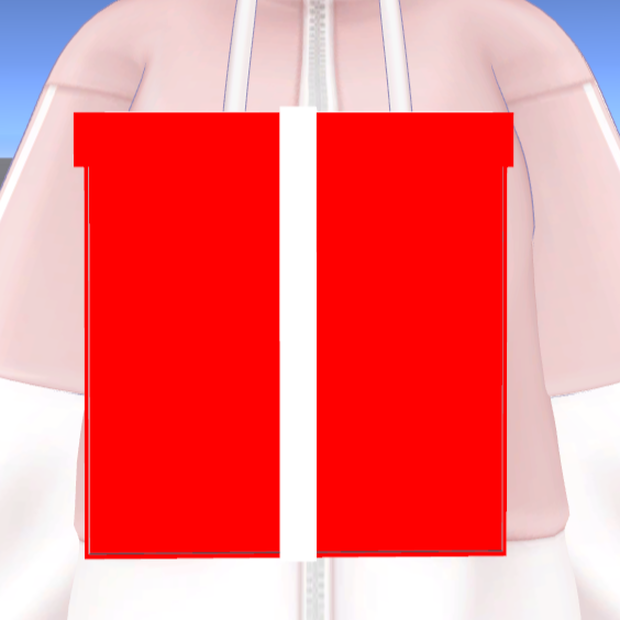
 【無料/FREE】プレゼント箱
상품 설명
クリスマスなど 色んなことに使えるプレゼント箱
blender初心者が頑張って作ったもの
エクスプレッションメニューで 箱の開閉をさせることが可能
プレゼント箱本体のみ
VRChat使用想定
A gift box perfect for Christmas and other occasions
Created by a beginner Blender user
You can open and close the box using the Expression menu
Includes the gift box only
Designed for use in VRChat
シェーダー(shader):liltoon
MA対応(Using Modular Avatars )
サンプルワールド(sample world)
https://vrchat.com/home/content/worlds/wrld_27b70d5c-e6b6-4fb6-a37b-59ec63e3f453/edit
内容物(Contents)
Unitypackage
導入方法(How to Install)
unitypackageファイルをUnityにインポート
Assets/Ringoame196/プレゼントボックス/プレゼント箱.prefabをアバターに追加
追加したものを位置調整をする
デフォルトだと、Chest追従するようになっています
追従先を変更する場合は、追加したプレゼント箱、上のプレゼント箱のInspectorのMA Bone Proxyのターゲットを変更してください
Import the .unitypackage file into Unity.
Add Assets/Ringoame196/プレゼントボックス/プレゼント箱.prefab to the avatar.
After adding it, adjust its position so it is correctly aligned on the avatar.
By default, the present box follows the Chest bone.
If you want it to follow a different bone, select the added present box, then in the Inspector, change the target of the MA Bone Proxy component on the upper present box.
サムネに使用させて頂いたアバター The avatar I used for the thumbnail
結城めさぐv2(https://asagiiro-design.booth.pm/items/5684968)
VN3ライセンス(共通利用規約) License
https://drive.google.com/drive/folders/1kPUbbyUB4xratPIWIoLUVkNv6VSzMDRI?usp=drive_link
모든 리뷰
더보기리뷰 등록
리뷰를 작성하려면 로그인이 필요합니다.
로그인하고 리뷰 쓰기