'%3e%3cg%20clip-path='url(%23roundHexB)'%3e%3cpath%20fill='%236D5DFC'%20d='M256%2040%20443%20148%20443%20364%20256%20472%2069%20364%2069%20148Z'/%3e%3cpath%20fill='%239C93FB'%20d='M69%20148%20256%2040%20443%20148%20256%20256Z'/%3e%3cpath%20fill='%234A3FD1'%20d='M256%20256%20443%20148%20443%20364%20256%20472Z'/%3e%3c/g%3e%3c!--%20top%20face:%20filled%20round%20magnifier%20--%3e%3cg%20transform='matrix(0.8660254,-0.5,0.8660254,0.5,69,148)'%3e%3cg%20transform='matrix(0.935,0,0,0.935,7.02,7.02)'%3e%3ccircle%20cx='88'%20cy='88'%20r='52'%20fill='%23FFFFFF'/%3e%3ccircle%20cx='88'%20cy='88'%20r='28'%20fill='%239C93FB'/%3e%3cpath%20d='M124%20124%20164%20164'%20stroke='%23FFFFFF'%20stroke-width='26'%20stroke-linecap='round'/%3e%3c/g%3e%3c/g%3e%3cg%20transform='matrix(0.8660254,0.5,0,1,69,148)'%3e%3cpath%20d='M96.1,61.08%20L45.9,128.92%20Q34,145%2054,145%20L162,145%20Q182,145%20170.1,128.92%20L119.9,61.08%20Q108,45%2096.1,61.08%20Z'%20fill='%23FFFFFF'/%3e%3c/g%3e%3c!--%20right%20face:%20filled%20bubble%20--%3e%3cg%20transform='matrix(0.8660254,-0.5,0,1,256,256)'%3e%3cg%20transform='matrix(0.855,0,0,0.855,15.66,15.66)'%3e%3cpath%20d='M60%2042H156a28%2028%200%200%201%2028%2028V158Q184%20168%20174.47%20164.96L124.53%20149.04Q115%20146%20105%20146H60a28%2028%200%200%201-28-28V70a28%2028%200%200%201%2028-28Z'%20fill='%23FFFFFF'/%3e%3c/g%3e%3c/g%3e%3c/g%3e%3c/svg%3e)
 Semino
 Environment Prefab Painter - Unity Tool (ツール)
상품 설명
◆ Environment Prefab Painter ◆
◆ An easy prefab painting tool for Unity ◆
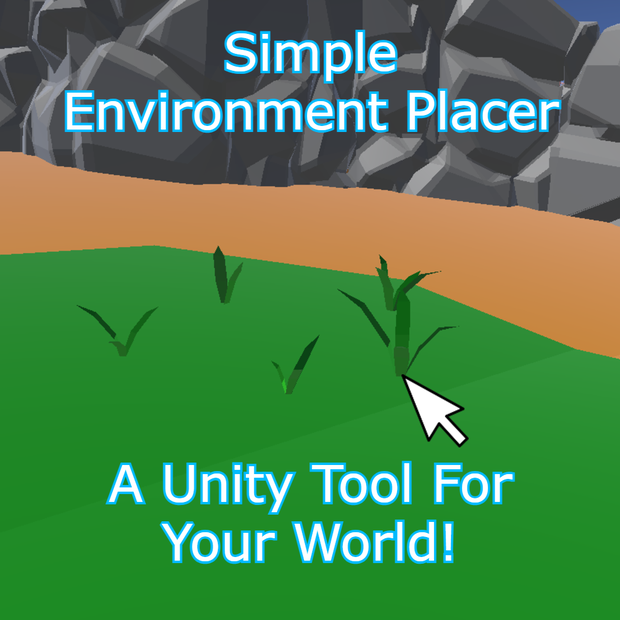
Place environment props (grass, rocks, details, etc.) directly in the Scene View with a click, or fill an entire area using Polygon Fill.
◆ The Downloadable Package Includes ◆
1 Unity Editor tool: Environment Prefab Painter (EditorWindow)
1 README (.txt) with usage instructions (EN / JP)
◆ Attention ◆
This package includes only the Editor tool/script.
Any prefabs, scenes, textures, models, or assets shown in images/videos are NOT included.
Your target surface must have Colliders to be paintable.
◆ Features ◆
Click to Place prefabs in the Scene View
Polygon Fill Mode (draw points, press ENTER to fill)
Auto Bottom Offset (Robust): snaps the prefab so it rests on the surface, even if the prefab pivot is not at the bottom
Align To Surface: optional tilt to match the surface normal
Average Surface Normal: smoother/less jitter on uneven terrain
Optional Target Filter: paint only on a specific object (or its children)
Auto Parent Container or custom parent transform
Hotkey Toggle to enable/disable painting quickly
Support button inside the tool (opens Discord)
◆ How to Use ◆
Import the package into your Unity project.
Open the tool: Tools > Semino Tools > Environment Prefab Painter
Assign your Prefabs (Prefab Slots)
Set a Raycast Mask (the layers you want to paint on)
(Optional) Set Target Object to paint only on that mesh/object
Enable Enable Painting
In the Scene View:
LMB places a prefab under the mouse
Use the Hotkey to toggle painting on/off
If you want area placement:
Enable Polygon Fill Mode
LMB adds polygon points
ENTER fills the polygon
BACKSPACE/DELETE removes last point
ESC clears the polygon
For correct placement on slopes:
Enable Auto Bottom Offset
Enable Align To Surface (optional)
Enable Average Surface Normal for uneven terrain
◆ Support ◆
Inside the tool you’ll find:
Support → Discord
Discord: https://discord.gg/durKEcMf3b
◆ Refund Policy ◆
Due to the nature of this product, purchased packages are non-refundable. In case of issues, refunds will not be available.
◆ Terms of Service ◆
Please do not resell or share the package.
-------
◆ Environment Prefab Painter ◆
◆ Unity用・簡単プレハブペイントツール ◆
シーンビュー上でクリックするだけで、環境オブジェクト(草・岩・小物など)を配置できます。
また、Polygon Fill を使って範囲を指定し、一括で配置することも可能です。
◆ ダウンロードパッケージ内容 ◆
・Unityエディターツール 1点:Environment Prefab Painter(EditorWindow)
・README(.txt)1点:使用方法(英語 / 日本語)
◆ 注意 ◆
・このパッケージに含まれるのは エディターツール(スクリプト)のみ です。
・画像/動画で使用しているプレハブ、シーン、テクスチャ、モデル、その他アセットは 付属しません。
・ペイント対象のサーフェスには Collider が必要 です(Collider が無いと置けません)。
◆ 機能 ◆
・シーンビューでクリック配置(Click to Place)
・Polygon Fill モード(点を打って ENTER で範囲内を自動配置)
・Auto Bottom Offset(高精度):プレハブのPivotが底に無くても、底面がサーフェスに正しく接地 するようにスナップ
・Align To Surface:サーフェスの法線に合わせて傾ける(斜面対応)
・Average Surface Normal:複数サンプルの平均法線で、凹凸地形でもブレにくく安定
・Optional Target Filter:特定オブジェクト(または子)にのみペイント可能
・自動親コンテナ作成 or 任意の親Transform指定
・Hotkey Toggle:ホットキーでペイントON/OFF切り替え
・ツール内 Support ボタン:Discord をブラウザで開く
◆ 使い方 ◆
パッケージを Unity プロジェクトにインポート
ツールを開く:Tools > Semino Tools > Environment Prefab Painter
Prefab Slots にプレハブを設定
Raycast Mask を設定(配置したいレイヤー)
(任意)Target Object を指定すると、そのオブジェクト(または子)にのみ配置
Enable Painting を ON
【シーンビュー操作】
・LMB(左クリック):マウス位置にプレハブを1つ配置
・Hotkey:ペイントのON/OFF切り替え
【範囲配置(Polygon Fill)】
Polygon Fill Mode を ON
LMB:ポリゴン点を追加
ENTER:範囲内を自動配置
BACKSPACE / DELETE:最後の点を削除
ESC:ポリゴンをクリア
【斜面での接地を綺麗にする】
・Auto Bottom Offset を ON(推奨)
・Align To Surface を ON(任意)
・地形がガタガタしている場合は Average Surface Normal を ON(推奨)
◆ サポート ◆
ツール内に以下があります:
Support → Discord(クリックでブラウザ起動)
Discord: https://discord.gg/durKEcMf3b
◆ 返金ポリシー ◆
商品の性質上、購入後の返金はできません。問題が発生した場合でも返金対応は行いません。
◆ 利用規約 ◆
パッケージの再販・再配布は禁止です。
모든 리뷰
더보기리뷰 등록
리뷰를 작성하려면 로그인이 필요합니다.
로그인하고 리뷰 쓰기