'%3e%3cg%20clip-path='url(%23roundHexB)'%3e%3cpath%20fill='%236D5DFC'%20d='M256%2040%20443%20148%20443%20364%20256%20472%2069%20364%2069%20148Z'/%3e%3cpath%20fill='%239C93FB'%20d='M69%20148%20256%2040%20443%20148%20256%20256Z'/%3e%3cpath%20fill='%234A3FD1'%20d='M256%20256%20443%20148%20443%20364%20256%20472Z'/%3e%3c/g%3e%3c!--%20top%20face:%20filled%20round%20magnifier%20--%3e%3cg%20transform='matrix(0.8660254,-0.5,0.8660254,0.5,69,148)'%3e%3cg%20transform='matrix(0.935,0,0,0.935,7.02,7.02)'%3e%3ccircle%20cx='88'%20cy='88'%20r='52'%20fill='%23FFFFFF'/%3e%3ccircle%20cx='88'%20cy='88'%20r='28'%20fill='%239C93FB'/%3e%3cpath%20d='M124%20124%20164%20164'%20stroke='%23FFFFFF'%20stroke-width='26'%20stroke-linecap='round'/%3e%3c/g%3e%3c/g%3e%3cg%20transform='matrix(0.8660254,0.5,0,1,69,148)'%3e%3cpath%20d='M96.1,61.08%20L45.9,128.92%20Q34,145%2054,145%20L162,145%20Q182,145%20170.1,128.92%20L119.9,61.08%20Q108,45%2096.1,61.08%20Z'%20fill='%23FFFFFF'/%3e%3c/g%3e%3c!--%20right%20face:%20filled%20bubble%20--%3e%3cg%20transform='matrix(0.8660254,-0.5,0,1,256,256)'%3e%3cg%20transform='matrix(0.855,0,0,0.855,15.66,15.66)'%3e%3cpath%20d='M60%2042H156a28%2028%200%200%201%2028%2028V158Q184%20168%20174.47%20164.96L124.53%20149.04Q115%20146%20105%20146H60a28%2028%200%200%201-28-28V70a28%2028%200%200%201%2028-28Z'%20fill='%23FFFFFF'/%3e%3c/g%3e%3c/g%3e%3c/g%3e%3c/svg%3e)
 LM
LM상품 설명
✨ワンクリックで完成✨
NeonBlink スクリプト for After Effects ボタンを一度クリックするだけで適用可能
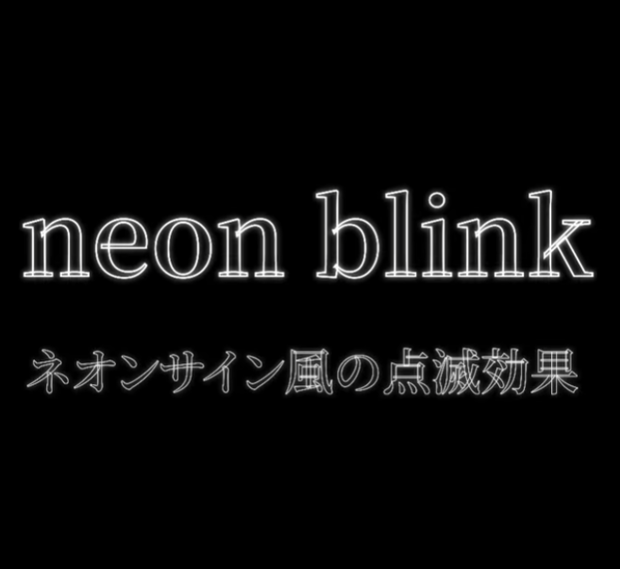
テキストに ネオンサイン風の点滅および登場効果 を追加できる After Effects 用のスクリプトとプリセットです。
JSX ファイルのインストール先
Adobe\Adobe After Effects (version)\Support Files\Scripts\ScriptUI Panels
FFX ファイルのインストール先
Adobe\Adobe After Effects (version)\Support Files\Presets
実行方法
テキストレイヤーを選択
上部メニューの ウィンドウ(Window) から neonblink パネルを開き → apply をクリック
→ アウトラインおよびアウトライン出現効果が適用されます
上部メニューの アニメーション(Animation) ▸ アニメーションプリセットを適用(Apply Animation Preset) で neonblink を選択
→ エフェクトと点滅効果が適用可能です
NeonBlink Script for After Effects Applicable with a single button click
An After Effects script and preset that automatically converts text into shape layers and applies neon sign-style glow, blinking, and reveal effects.
JSX file installation path
Adobe\Adobe After Effects (version)\Support Files\Scripts\ScriptUI Panels
FFX file installation path
Adobe\Adobe After Effects (version)\Support Files\Presets
How to run
Select a text layer
From the Window menu, open the neonblink panel → click apply
→ Outline and outline appearance effect will be applied
From the Animation menu ▸ Apply Animation Preset, choose neonblink
→ Effect and blinking animation will be applied
最新バージョンおよび追加情報
모든 리뷰
더보기리뷰 등록
리뷰를 작성하려면 로그인이 필요합니다.
로그인하고 리뷰 쓰기