'%3e%3cg%20clip-path='url(%23roundHexB)'%3e%3cpath%20fill='%236D5DFC'%20d='M256%2040%20443%20148%20443%20364%20256%20472%2069%20364%2069%20148Z'/%3e%3cpath%20fill='%239C93FB'%20d='M69%20148%20256%2040%20443%20148%20256%20256Z'/%3e%3cpath%20fill='%234A3FD1'%20d='M256%20256%20443%20148%20443%20364%20256%20472Z'/%3e%3c/g%3e%3c!--%20top%20face:%20filled%20round%20magnifier%20--%3e%3cg%20transform='matrix(0.8660254,-0.5,0.8660254,0.5,69,148)'%3e%3cg%20transform='matrix(0.935,0,0,0.935,7.02,7.02)'%3e%3ccircle%20cx='88'%20cy='88'%20r='52'%20fill='%23FFFFFF'/%3e%3ccircle%20cx='88'%20cy='88'%20r='28'%20fill='%239C93FB'/%3e%3cpath%20d='M124%20124%20164%20164'%20stroke='%23FFFFFF'%20stroke-width='26'%20stroke-linecap='round'/%3e%3c/g%3e%3c/g%3e%3cg%20transform='matrix(0.8660254,0.5,0,1,69,148)'%3e%3cpath%20d='M96.1,61.08%20L45.9,128.92%20Q34,145%2054,145%20L162,145%20Q182,145%20170.1,128.92%20L119.9,61.08%20Q108,45%2096.1,61.08%20Z'%20fill='%23FFFFFF'/%3e%3c/g%3e%3c!--%20right%20face:%20filled%20bubble%20--%3e%3cg%20transform='matrix(0.8660254,-0.5,0,1,256,256)'%3e%3cg%20transform='matrix(0.855,0,0,0.855,15.66,15.66)'%3e%3cpath%20d='M60%2042H156a28%2028%200%200%201%2028%2028V158Q184%20168%20174.47%20164.96L124.53%20149.04Q115%20146%20105%20146H60a28%2028%200%200%201-28-28V70a28%2028%200%200%201%2028-28Z'%20fill='%23FFFFFF'/%3e%3c/g%3e%3c/g%3e%3c/g%3e%3c/svg%3e)
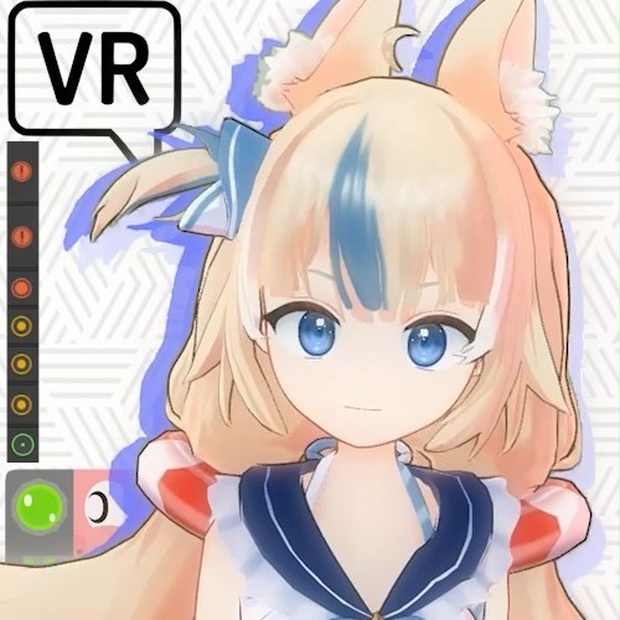
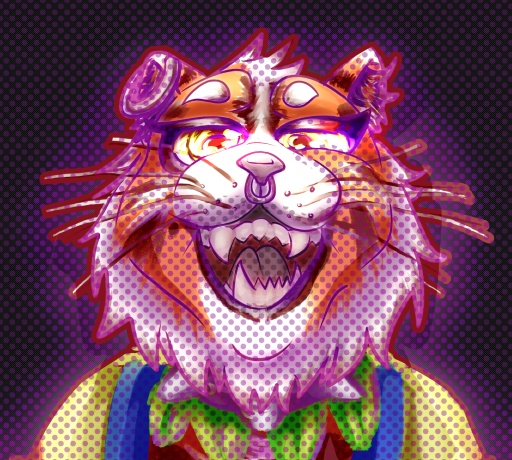 Abakat_VT (VRChat 3D Models)
 Sameko Saba / Fan Made 3D VRChat Avatar
상품 설명
Model has 33000 tris
___________________________________________________________
The VRChat Avatar prefabs comes with configured Physics Bones, Visames and Facetracking (PC only)
___________________________________________________________
Warning:
The facetracking is already configured, and I used Gesture Manager 3 in Unity to test it since I don't own any VR Headset.
So unfortunately I can't guarantee it will work out of the box for your VR gear.
___________________________________________________________
There are 2 versions in the uni package:
the VRChat prefab, and the VRM model I made in order to upload to Vroid Hub. Just upload the VRChat prefab one.
___________________________________________________________
Avatar has very poor rating (Too many phys bones / you know the deal / If you want a better rating, just delete some phys bone components and colliders that you think are not needed).
The 4 skinned meshes are needed for the model's toggles.
And if you get some message saying the textures exceed the limit, it's because of VRCFury, just ignore that particular message, everything will work just fine when you hit upload.
___________________________________________________________
Made with Avatar Creator 3.0 in Unity Ver 2022.3.22f1
*You'll need all the packages mentioned bellow already imported to your Unity Project before adding the .unitypackage of Saba into it.
-VRCFury (ver 1.1241.0) (Necessary download):
-Poiyomi shader (ver 9.2.65) (Necessary download):
https://github.com/lilxyzw/lilToon/releases/tag/1.10.3
-UniVRM (ver 0.128.1) (Necessary download)
https://github.com/vrm-c/UniVRM
-VRCFT - Jerry's Templates Listing (Necessary download) - I used this template to configure the facetracking for the PCVR Avatar
https://adjerry91.github.io/VRCFaceTracking-Templates/
___________________________________________________________
WARNING:
Since I used Jerry's template, you will probably need to make some changes to the values of his animation parameters for the eye rotations of my model. Its fairly simple to do, just follow this guide from 2:25 onwards:
https://youtu.be/y0wXD-m0Geo?t=145
___________________________________________________________
모든 리뷰
더보기리뷰 등록
리뷰를 작성하려면 로그인이 필요합니다.
로그인하고 리뷰 쓰기