'%3e%3cg%20clip-path='url(%23roundHexB)'%3e%3cpath%20fill='%236D5DFC'%20d='M256%2040%20443%20148%20443%20364%20256%20472%2069%20364%2069%20148Z'/%3e%3cpath%20fill='%239C93FB'%20d='M69%20148%20256%2040%20443%20148%20256%20256Z'/%3e%3cpath%20fill='%234A3FD1'%20d='M256%20256%20443%20148%20443%20364%20256%20472Z'/%3e%3c/g%3e%3c!--%20top%20face:%20filled%20round%20magnifier%20--%3e%3cg%20transform='matrix(0.8660254,-0.5,0.8660254,0.5,69,148)'%3e%3cg%20transform='matrix(0.935,0,0,0.935,7.02,7.02)'%3e%3ccircle%20cx='88'%20cy='88'%20r='52'%20fill='%23FFFFFF'/%3e%3ccircle%20cx='88'%20cy='88'%20r='28'%20fill='%239C93FB'/%3e%3cpath%20d='M124%20124%20164%20164'%20stroke='%23FFFFFF'%20stroke-width='26'%20stroke-linecap='round'/%3e%3c/g%3e%3c/g%3e%3cg%20transform='matrix(0.8660254,0.5,0,1,69,148)'%3e%3cpath%20d='M96.1,61.08%20L45.9,128.92%20Q34,145%2054,145%20L162,145%20Q182,145%20170.1,128.92%20L119.9,61.08%20Q108,45%2096.1,61.08%20Z'%20fill='%23FFFFFF'/%3e%3c/g%3e%3c!--%20right%20face:%20filled%20bubble%20--%3e%3cg%20transform='matrix(0.8660254,-0.5,0,1,256,256)'%3e%3cg%20transform='matrix(0.855,0,0,0.855,15.66,15.66)'%3e%3cpath%20d='M60%2042H156a28%2028%200%200%201%2028%2028V158Q184%20168%20174.47%20164.96L124.53%20149.04Q115%20146%20105%20146H60a28%2028%200%200%201-28-28V70a28%2028%200%200%201%2028-28Z'%20fill='%23FFFFFF'/%3e%3c/g%3e%3c/g%3e%3c/g%3e%3c/svg%3e)
 Dismay Custom
 【VRC ギミック】 Heart Rate Monitor — Heartz Beat 🫀📊 #Pulsoid #VRCOSC
상품 설명
A simple UI to display your heart rate designed to help you monitor your heart rate during exercise, allowing for better control of workout intensity.
運動中の心拍数をモニターし、トレーニング強度をより良くコントロールできるように設計されたシンプルな心拍数表示です。
📋 About This Product
𝗟𝗮𝘂𝗻𝗰𝗵 𝗗𝗮𝘁𝗲: July 19, 2025
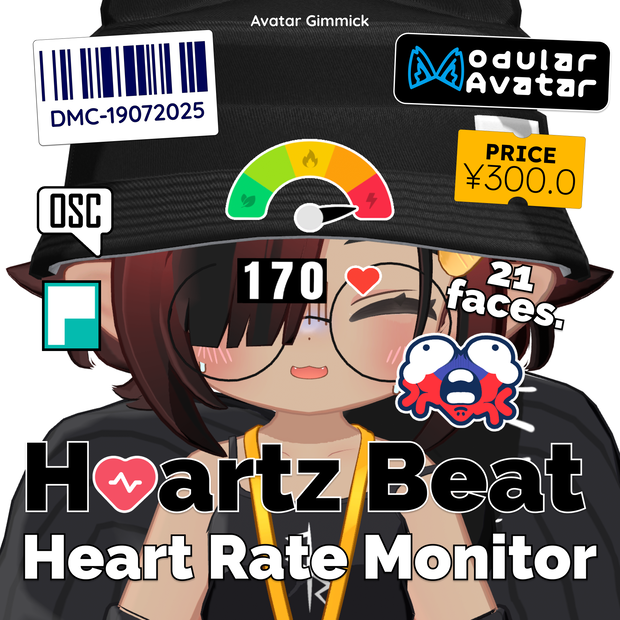
Heartz Beat (Heart/Hz Beat) is a simple and sleek heart rate monitor icon. Designed to help you easily read your heart rate per minute during exercise and daily activities. Comes with cute graphic icons and sound effects.
// Notes //
This asset was designed to work with Pulsoid App, VRCOSC, or any OSC program that can read heart rate data from the heart rate monitor streaming service, such as Pulsoid or HypeRate. Without those tool working, you can still use this asset by manually adjusting the heart rate value with the expression menu.
📌 Requirements
// Avatar Tool //
• Modular Avatar: https://modular-avatar.nadena.dev
// OSC Software //
A. 𝗣𝘂𝗹𝘀𝗼𝗶𝗱 𝗢𝗦𝗖 𝗔𝗽𝗽 (Recommended)
Pulsoid OSC sends your real-time heart rate directly to VRChat through OSC: https://pulsoid.net/products/osc
• Direct to VRChat: No additional OSC software required.
• Reliable connection: Everything is handled within the Pulsoid ecosystem.
• Simple setup: Connect your device, start the app, and you're ready.
• More features: Supports Discord Rich Presence, in-game Chatbox, and more.
B. 𝗩𝗥𝗖𝗢𝗦𝗖
VRCOSC is an alternative way to send your Pulsoid heart rate data to VRChat: https://vrcosc.com
• Flexible: Works alongside other VRCOSC modules and integrations.
• Great for existing users: Ideal if you already use VRCOSC for other features.
• More setup required: Requires VRCOSC and the Pulsoid module to be installed and configured separately.
For a simpler setup, we recommend using the Pulsoid OSC App instead.
🛜 How to Connect
Tutorial: https://youtu.be/7sA_a3F7fuE?si=PpDeyn3CSiTX625w
1. Connect your heart rate monitor device to Pulsoid service, using Pulsoid for Desktop or Pulsoid phone application.
2. Start OSC feature.
* For VRCOSC, you need to do extra steps, please refer to the 6th image.
1. 心拍数モニターをPulsoidデスクトップアプリまたはPulsoidスマートフォンアプリを使用して、Pulsoidサービスに接続します。
2. OSC機能を開始します。
※ VRCOSCを使用する場合は追加の設定が必要です。詳しくは6枚目の画像をご参照ください。
✨ Features
📟 𝗛𝗲𝗮𝗿𝘁 𝗥𝗮𝘁𝗲 𝗜𝗰𝗼𝗻
• Show real-time beat per minute heart rate data from Pulsoid OSC.
• Simple and sleek design for clean view.
🎛️ 𝗛𝗲𝗮𝗿𝘁 𝗥𝗮𝘁𝗲 𝗭𝗼𝗻𝗲 𝗠𝗲𝘁𝗲𝗿
• A heart rate zone guideline meter for Warm Up, Burning, Aerobic and Anaerobic.
• This heart rate zone guideline is roughly and based on average data for young adults (18-35 y/o), and may vary by individual. Please do the calculation to get your own actual zone compared to your age.
💗 𝗛𝗲𝗮𝗿𝘁 𝗕𝗲𝗮𝘁𝗶𝗻𝗴 𝗔𝗻𝗶𝗺𝗮𝘁𝗶𝗼𝗻
• Heart beating aniamtion that synced with your heart beat per minute.
😋😮💨🥵 𝗙𝗮𝗰𝗲 𝗘𝗺𝗼𝗷𝗶 𝗘𝘅𝗽𝗿𝗲𝘀𝘀𝗶𝗼𝗻
• Heart emoji that their face expression change depends on your current heart rate value.
🔊 𝗦𝗼𝘂𝗻𝗱 𝗘𝗳𝗳𝗲𝗰𝘁
• Heart beat sound that sync with your heart rate.
↔️ 𝗔𝘂𝘁𝗼 𝗠𝗶𝗿𝗿𝗼𝗿 𝗙𝗹𝗶𝗽
• Auto flip the icon when looking through the mirror.
📙 Terms of Use
By using this digital product "𝗛𝗲𝗮𝗿𝘁 𝗥𝗮𝘁𝗲 𝗠𝗼𝗻𝗶𝘁𝗼𝗿 — 𝗛𝗲𝗮𝗿𝘁𝘇 𝗕𝗲𝗮𝘁 🫀📊 #𝗩𝗥𝗖𝗢𝗦𝗖", you must agree to the terms of use. Otherwise, it will be considered that you are violating the agreement and may be subject to legal action.
𝗪𝗵𝗮𝘁 𝘆𝗼𝘂 𝗰𝗮𝗻 𝗱𝗼
✔ Use this item on VRChat avatar.
✔ Modify Unity prefab, sound effects, textures, mesh data, and animations to suit your preferences.
𝗪𝗵𝗮𝘁 𝘆𝗼𝘂 𝗰𝗮𝗻'𝘁 𝗱𝗼
✘ Re-distribute, resell, leak this digital product. (This "digital product" means all data files inside UnityPackage).
💳 Credits
• 𝗥𝗘𝗗_𝗦𝗜𝗠: Simple Counter Shader
• 𝗙𝗿𝗲𝗲𝗽𝗶𝗸: Menu and meter icons
• 𝗚𝗼𝗼𝗴𝗹𝗲 𝗙𝗼𝗻𝘁: Anton font for BPM
• 𝗣𝗶𝘅𝗮𝗯𝗮𝘆: Heart beat sound effect
⚙️ Change Logs
v2.0.0 (September 17, 2026)
• Add new support for Pulsoid App. Please refer to the new tutorial video!
• Adjust heart beat sound effect pitch for more accuracy per beat.
• Edit the prefab and make animator functions clean and work better.
• Remove Mirror Flip menu. It can now automatically flipped when displayed on the mirror.
• Make heart beat sound a bit louder and reduce audio range.
• BPM counter now won’t bounce with the beat, only the heart icon bounces. This makes it easier to be read.
• Make the zone meter pin animation move and snap into the zone, rather than slowly increasing.
• Add new meter style (Heart Face Emoji). This meter will change the heart emoji's face expression depends on your heart rate.
• You can now easily attach the icons to the different part of avatar body by using MA Bone Proxy.
v1.0.0 (July 19, 2025)
• Released the first version
모든 리뷰
더보기리뷰 등록
리뷰를 작성하려면 로그인이 필요합니다.
로그인하고 리뷰 쓰기