'%3e%3cg%20clip-path='url(%23roundHexB)'%3e%3cpath%20fill='%236D5DFC'%20d='M256%2040%20443%20148%20443%20364%20256%20472%2069%20364%2069%20148Z'/%3e%3cpath%20fill='%239C93FB'%20d='M69%20148%20256%2040%20443%20148%20256%20256Z'/%3e%3cpath%20fill='%234A3FD1'%20d='M256%20256%20443%20148%20443%20364%20256%20472Z'/%3e%3c/g%3e%3c!--%20top%20face:%20filled%20round%20magnifier%20--%3e%3cg%20transform='matrix(0.8660254,-0.5,0.8660254,0.5,69,148)'%3e%3cg%20transform='matrix(0.935,0,0,0.935,7.02,7.02)'%3e%3ccircle%20cx='88'%20cy='88'%20r='52'%20fill='%23FFFFFF'/%3e%3ccircle%20cx='88'%20cy='88'%20r='28'%20fill='%239C93FB'/%3e%3cpath%20d='M124%20124%20164%20164'%20stroke='%23FFFFFF'%20stroke-width='26'%20stroke-linecap='round'/%3e%3c/g%3e%3c/g%3e%3cg%20transform='matrix(0.8660254,0.5,0,1,69,148)'%3e%3cpath%20d='M96.1,61.08%20L45.9,128.92%20Q34,145%2054,145%20L162,145%20Q182,145%20170.1,128.92%20L119.9,61.08%20Q108,45%2096.1,61.08%20Z'%20fill='%23FFFFFF'/%3e%3c/g%3e%3c!--%20right%20face:%20filled%20bubble%20--%3e%3cg%20transform='matrix(0.8660254,-0.5,0,1,256,256)'%3e%3cg%20transform='matrix(0.855,0,0,0.855,15.66,15.66)'%3e%3cpath%20d='M60%2042H156a28%2028%200%200%201%2028%2028V158Q184%20168%20174.47%20164.96L124.53%20149.04Q115%20146%20105%20146H60a28%2028%200%200%201-28-28V70a28%2028%200%200%201%2028-28Z'%20fill='%23FFFFFF'/%3e%3c/g%3e%3c/g%3e%3c/g%3e%3c/svg%3e)
 guetan
 【VRChat想定】大人のおもちゃ・アダルトグッズを動かすソフトウェア【VRC_Pleasure】
상품 설명
多言語(英語・韓国語・中国語)に対応しました!
Now supports multiple languages (English, Korean, Chinese)!
==================================================
VRC Pleasure 商品紹介
==================================================
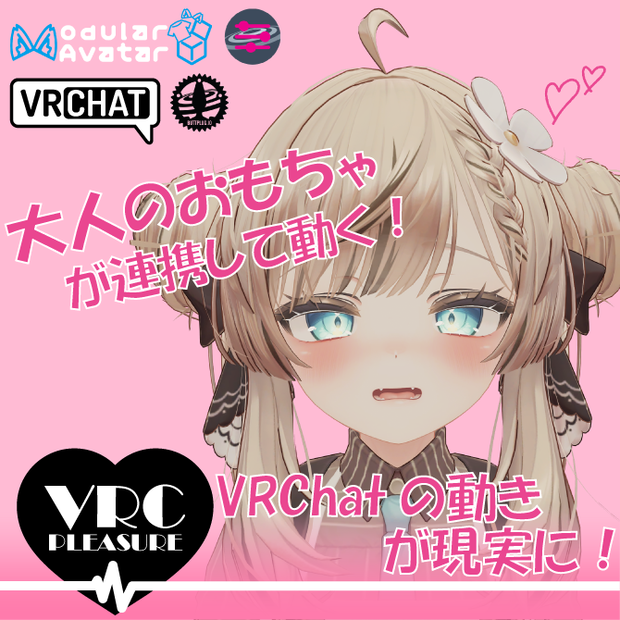
VRChatが、もっとリアルになる。
「VRC Pleasure」は、あなたのVRChat体験を次の次元へと引き上げる、
PC・スマートフォン連携デバイス制御ソフトウェアです。
OSCとIntiface Centralを利用し、
VRChat内での出来事と現実のデバイスを連動させ、
これまでにない没入感を生み出します。
気になるあの子とのコミュニケーションや、ワールドのインタラクションに、
新たな驚きと楽しさを加えてみませんか。
- 同期パラメータ数: 最大 12 + {デバイス数} x 1
- マテリアル数: 最大6
- ポリゴン数: 最大480
--------------------------------------------------
▼ 導入・詳細ドキュメント
--------------------------------------------------
導入方法や使い方、サンプルギミックの詳細、
お持ちのデバイスの対応状況の確認方法については、
以下のドキュメントサイトをご覧ください。(英語にも対応しています)
ドキュメントはこちら
↓
https://vrc-pleasure-docs.guetan.dev/
※ 本ソフトウェアはVRChat Inc.、Intifaceの公式製品ではありません。
※ VRChatおよびご利用のVR機器の利用規約・ガイドラインを遵守してご利用ください。
※ 本ソフトウェアがユーザーの個人データを意図的に収集・送信することはありません。
ソフトウェアの種類について
VRC Pleasureには、機能が異なる3つのバージョンがあります。
--------------------------------------------------
【Demo Version / デモ版】
--------------------------------------------------
Intiface Centralとの接続テスト専用の、無料バージョンです。
まずはお持ちのデバイスがVRC Pleasureで動作するか、こちらでお試しください。
≪主な機能≫
・Intiface Centralとの接続確認
--------------------------------------------------
【Full Pack / フルパック】
--------------------------------------------------
Standard版の全機能に加え、デバイスの振動の強さやパターンを細かく制御できる最上位バージョンです。
触れられた強さや動きに応じてリアルタイムにデバイスの動作が変化する、より高度なギミックを同梱しています。
≪主な機能≫
・Standard版の全ての機能
・振動の強さ・パターンの可変制御
・SPSやPhysboneに連動し、接触の強弱をデバイスに伝える高度なギミック (UnityPackage)
主な機能
--------------------------------------------------
▼ VRChat連携
--------------------------------------------------
・OSCパラメータのリアルタイム受信
・アバターパラメータとの自由なマッピング設定
・複数のパラメータを利用した複合的なコントロール
--------------------------------------------------
▼ Intiface連携
--------------------------------------------------
・WebSocketによる安定した常時接続
・対応デバイスの自動検出とリスト表示
・接続状況がひと目でわかるステータス表示
--------------------------------------------------
▼ デバイス制御
--------------------------------------------------
・振動の強さを細やかにコントロール
・回転の速度や向きを自由に制御
・直線的な動き(ストロークなど)の制御
・複数のデバイスの同時・個別コントロール
対応デバイス
VRC Pleasureは、Intiface Centralがサポートする多くのデバイスに対応しています。
お持ちのデバイスが対応しているかは、以下の外部リストで
「Buttplug.io Support」にチェックが入っているかをご確認ください。
▼対応デバイス検索リスト (iostindex.com)
https://iostindex.com/?filter0ButtplugSupport=7
--------------------------------------------------
【重要:ご購入の前に必ずお読みください】
--------------------------------------------------
ご自身のデバイスで確実に動作するか不安な場合は、
まず無料の【Demo Version】で接続テストを行っていただくことを強くお勧めします。
※ 上記リストは動作の目安であり、制作者が全てのデバイスで個別の動作確認を行ったものではありません。
※ デバイス固有の仕様やPC環境、技術的制約により、正常に動作しない可能性もございます。可能な限りサポートは行いますが、完全な動作保証は致しかねますので、予めご了承ください。
--------------------------------------------------
▼ 制御可能な機能の種類
--------------------------------------------------
VRC Pleasureは、主に以下の機能を持つデバイスの制御に対応しています。
・振動機能 (Vibration)
・回転機能 (Rotation)
・直線運動機能 (Linear / Stroke) <- 鋭意開発中です!
使用方法
詳しい手順や、図解入りの分かりやすい説明は、以下のドキュメントサイトにまとめてあります。
初めてお使いになる方は、まずはこちらをご覧ください。
▼詳細ドキュメントはこちら
https://vrc-pleasure-docs.guetan.dev/
--------------------------------------------------
▼ クイックスタートガイド
--------------------------------------------------
1. 【Intiface Centralの起動】
Intiface Centralを起動し、「Server Status」パネルのロケットアイコンを押してEngineを開始します。
2. 【本アプリケーションの起動】
VRC Pleasureを起動します。
3. 【Intifaceへの接続】
本アプリケーションのメイン画面で「接続」ボタンを押し、Intiface Centralと接続します。
4. 【VRChatからの操作】
VRChat内でアバターのメニューを操作したり、対応ギミックに触れたりして、設定したOSCパラメータを送信すると、デバイスが動作します。
利用規約
https://vrc-pleasure-docs.guetan.dev/license/
を参照してください.
必要環境
- Windows 10/11 64bit
- [.NET 8.0 Desktop Runtime](https://dotnet.microsoft.com/download/dotnet/8.0) 以上
- [Intiface Central](https://intiface.com/central/) 最新版
- [VRChat](https://vrchat.com/) OSC対応バージョン
- ディスプレイ: 解像度1280x720以上
推奨環境
- CPU: Intel Core i3/AMD Ryzen 3 以上
- メモリ: 4GB以上
- ストレージ: 100MB以上の空き容量
- ネットワーク: ブロードバンドインターネット接続
- ディスプレイ: DPIスケーリング100%推奨
アップデート履歴
[2025-09-10] v1.0.0 リリース
[2025-09-14] v1.0.1 OSCQueryに対応
[2025-09-17] v1.0.2 直線運動機能の改善とバグ修正
[2025-09-28] v1.0.3 複数デバイスの独立パターン動作のサポートと直線運動機能の改善
[2025-11-15] v1.1.0 多言語対応およびバグ修正
[2025-11-21] v1.1.1 パターン選択ができなかったバグ修正
[2026-02-14] v1.1.2 複数デバイスの動作時のバグ修正
[2026-03-09] v1.1.2b コンタクト機能でも他人/自分の可視化を選べるように
[2026-04-18] v1.1.2c 一部の必須アセットがunitypackageに含まれていなかったバグ修正
[2026-05-11] v1.1.2d 一部のエクスプレッションメニューが正しく動作しないバグ修正
開発環境
- AMD Ryzen 7 5700X3D 3.00 GHz
- RAM 48.0 GB
- GeForce RTX 4070 ti super
- Windows 11 Home 24H2
VRC Pleasure Product Description
Make your VRChat experience more real.
"VRC Pleasure" is a device control software that connects with your PC/smartphone to elevate your VRChat experience to the next level.
Using OSC and Intiface Centra, it links events inside VRChat to your real-world devices, creating an unprecedented level of immersion.
Add a new layer of surprise and fun to your interactions with that special someone or with interactive worlds.
--------------------------------------------------
▼ Documentation & Device Compatibility
--------------------------------------------------
For installation, usage instructions, details on sample gimmicks, and how to check if your device is compatible, please visit our documentation site.
View Documentation Here
-> https://vrc-pleasure-docs.guetan.dev/
--------------------------------------------------
▼ Disclaimers
--------------------------------------------------
* This software is not an official product of VRChat Inc. or Intiface.
* Please follow the Terms of Service and guidelines of VRChat and your VR equipment.
* This software does not intentionally collect or transmit any of your personal data.
Software Version
--------------------------------------------------
【Demo Version / デモ版】
--------------------------------------------------
A free version for testing your connection to Intiface Central.
Use this to verify that your device is compatible with VRC Pleasure.
<< Features >>
- Connection testing with Intiface Central
--------------------------------------------------
【Full Pack / フルパック】
--------------------------------------------------
The complete version, including all Standard features plus advanced control over device intensity and patterns.
Includes advanced gimmicks that translate the strength and motion of physical interactions into real-time device feedback.
<< Features >>
- All features of the Standard Version
- Variable control over intensity and patterns
- Advanced gimmick linking with SPS and Physbone to transmit the strength of interactions (UnityPackage)
Main Features
Here is a list of the main features offered by VRC Pleasure.
--------------------------------------------------
▼ VRChat Integration
--------------------------------------------------
- Real-time reception of OSC parameters
- Customizable mapping to your avatar's parameters
- Complex control using multiple parameters at once
--------------------------------------------------
▼ Intiface Integration
--------------------------------------------------
- Stable, persistent connection via WebSocket
- Automatic detection and listing of compatible devices
- At-a-glance status display for real-time connection monitoring
--------------------------------------------------
▼ Device Control
--------------------------------------------------
- Precise control over vibration intensity
- Full control over rotation speed and direction
- Control over linear motion (e.g., stroking)
- Simultaneous or individual control of multiple devices
Compatible Devices
VRC Pleasure supports many devices that are compatible with Intiface Central.
To see if your device is likely supported, please check if it is marked with "Buttplug.io Support" on the following external list:
▼ Device Compatibility List (iostindex.com)
https://iostindex.com/?filter0ButtplugSupport=7
--------------------------------------------------
IMPORTANT: Please Read Before Purchasing
--------------------------------------------------
If you are unsure whether your device will work correctly,
we strongly recommend you first test the connection using our free 【Demo Version】.
* Please note: The list above is a general guide. We have not individually verified every device on the list.
* Due to device-specific hardware, your PC environment, or other technical limitations, some devices may not function as expected. While we will provide support where possible, we cannot guarantee perfect operation for all devices.
--------------------------------------------------
▼ Controllable Function Types
--------------------------------------------------
VRC Pleasure can control devices with the following types of functions:
- Vibration
- Rotation
- Linear (e.g., Stroking)
Basic Usage Flow
For detailed, step-by-step instructions with images, please refer to our full documentation site.
If you are a first-time user, we highly recommend starting here.
▼ View Full Documentation
https://vrc-pleasure-docs.guetan.dev/
--------------------------------------------------
▼ Quick Start Guide
--------------------------------------------------
1. [Launch Intiface Central]
Start Intiface Central and launch the Engine by clicking the rocket icon in the "Server Status" panel.
2. [Open VRC Pleasure]
Launch the VRC Pleasure application.
3. [Connect to Intiface]
On the main screen of VRC Pleasure, click the "接続" button to link with Intiface Central.
4. [Control from VRChat]
Once in VRChat, operate your avatar's expression menu or interact with a compatible gimmick to send OSC parameters. Your device will now respond.
Licensing
Please refer to https://vrc-pleasure-docs.guetan.dev/license/
모든 리뷰
더보기리뷰 등록
리뷰를 작성하려면 로그인이 필요합니다.
로그인하고 리뷰 쓰기