'%3e%3cg%20clip-path='url(%23roundHexB)'%3e%3cpath%20fill='%236D5DFC'%20d='M256%2040%20443%20148%20443%20364%20256%20472%2069%20364%2069%20148Z'/%3e%3cpath%20fill='%239C93FB'%20d='M69%20148%20256%2040%20443%20148%20256%20256Z'/%3e%3cpath%20fill='%234A3FD1'%20d='M256%20256%20443%20148%20443%20364%20256%20472Z'/%3e%3c/g%3e%3c!--%20top%20face:%20filled%20round%20magnifier%20--%3e%3cg%20transform='matrix(0.8660254,-0.5,0.8660254,0.5,69,148)'%3e%3cg%20transform='matrix(0.935,0,0,0.935,7.02,7.02)'%3e%3ccircle%20cx='88'%20cy='88'%20r='52'%20fill='%23FFFFFF'/%3e%3ccircle%20cx='88'%20cy='88'%20r='28'%20fill='%239C93FB'/%3e%3cpath%20d='M124%20124%20164%20164'%20stroke='%23FFFFFF'%20stroke-width='26'%20stroke-linecap='round'/%3e%3c/g%3e%3c/g%3e%3cg%20transform='matrix(0.8660254,0.5,0,1,69,148)'%3e%3cpath%20d='M96.1,61.08%20L45.9,128.92%20Q34,145%2054,145%20L162,145%20Q182,145%20170.1,128.92%20L119.9,61.08%20Q108,45%2096.1,61.08%20Z'%20fill='%23FFFFFF'/%3e%3c/g%3e%3c!--%20right%20face:%20filled%20bubble%20--%3e%3cg%20transform='matrix(0.8660254,-0.5,0,1,256,256)'%3e%3cg%20transform='matrix(0.855,0,0,0.855,15.66,15.66)'%3e%3cpath%20d='M60%2042H156a28%2028%200%200%201%2028%2028V158Q184%20168%20174.47%20164.96L124.53%20149.04Q115%20146%20105%20146H60a28%2028%200%200%201-28-28V70a28%2028%200%200%201%2028-28Z'%20fill='%23FFFFFF'/%3e%3c/g%3e%3c/g%3e%3c/g%3e%3c/svg%3e)
 Haruna5718
상품 설명
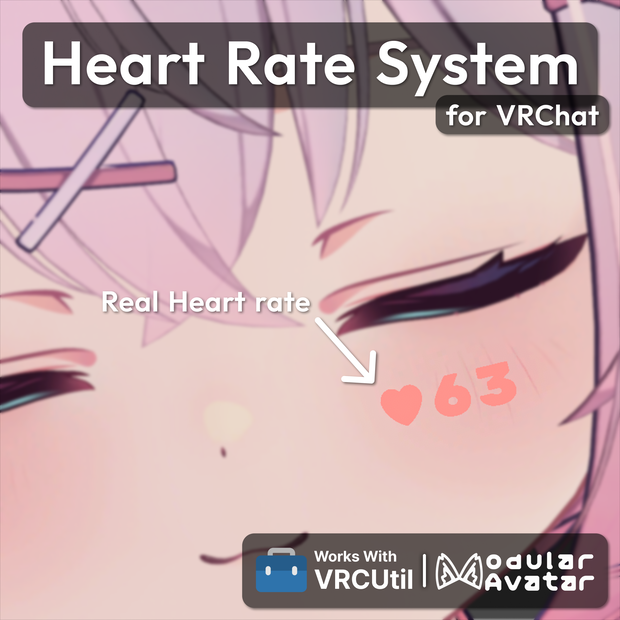
📌 VRChatでの使用を想定した心拍数システムです。
✉️ エラーや使い方でお困りの際は、お気軽にお問い合わせください。
📌 VRChat에서 사용을 상정한 심박수 시스템입니다.
✉️ 에셋에 문제가 있거나 사용에 어려움이 있는 경우 편하게 문의 주세요.
📌 This is a HeartRate System designed for use in VRChat.
✉️ If you have any issues or questions, feel free to contact me.
📘 アセット情報 / 에셋 정보 / Asset Info
⭐ アバターに心拍数を制限なく表示できます
⭐ 心拍数を自然に見えるようスムージング処理します
⭐ OpenVRオーバーレイで心拍数を表示し、自由にカスタマイズできます
⭐ 心拍数に連動した心拍音を再生します
⭐ 心拍数に応じたアイコンアニメーションを簡単に設定できます
⭐ 心拍数をカメラに表示されないように非表示にできます
⭐ セットアップツールで数回のクリックだけで簡単に適用できます
⭐ ゲーム内で一部設定を変更できます
⭐ デフォルトアイコンとフォントが付属し、簡単にカスタマイズできます
⭐ OSCで心拍数を受信するVRCUtil専用モジュールが付属しています
⭐ 아바타에 심박수를 개수 제한 없이 표시할 수 있습니다
⭐ 심박수를 자연스럽게 보이도록 스무딩 처리합니다
⭐ OpenVR 오버레이로 화면에 심박수를 표시하며 커스터마이즈할 수 있습니다
⭐ 심박수에 연동된 심박음을 재생합니다
⭐ 심박수에 따른 아이콘 애니메이션을 쉽게 설정할 수 있습니다
⭐ 심박수가 카메라에 표시되지 않도록 숨길 수 있습니다
⭐ 설정 툴을 통해 몇 번의 클릭만으로 간편하게 적용할 수 있습니다
⭐ 게임 내에서 일부 설정을 변경할 수 있습니다
⭐ 다양한 기본 아이콘과 폰트를 제공하며, 간편하게 커스터마이즈할 수 있습니다
⭐ OSC로 심박수를 수신하는 VRCUtil 전용 모듈이 포함되어 있습니다
⭐ Displays heart rate on the avatar with no limit on instances
⭐ Smooths heart rate values for a more natural appearance
⭐ Displays heart rate on-screen using an OpenVR overlay, fully customizable
⭐ Plays heartbeat sound synced with heart rate
⭐ Easily configure icon animations based on heart rate
⭐ Option to hide heart rate from the camera
⭐ Quick and easy setup with just a few clicks
⭐ Allows certain settings to be adjusted in-game
⭐ Includes a variety of default icons and fonts for easy customization
⭐ Includes a dedicated VRCUtil module for receiving heart rate via OSC
⚙️ 依存性 / 의존성 / Dependency
🔗「VRCUtil」- https://haruna5718.booth.pm/items/6516021
🔗「Modular Avatar」- https://modular-avatar.nadena.dev/
🔗「Pulsoid」- https://pulsoid.net/ (Optional)
🔗「Hyperate」- https://hyperate.io/ (Optional)
🚹 対応アバター / 지원 아바타 / Preset Avatar
🔗「シフォン」Chiffon - https://booth.pm/ja/items/5354471
🔗「ショコラ」Chocolat - https://booth.pm/ja/items/6405390
🔗「輝夜」Kaguya - https://booth.pm/ja/items/8562330
🔗「カリン」Karin - https://booth.pm/ja/items/3470989
🔗「桔梗」Kiyko - https://booth.pm/ja/items/3681787
🔗「キプフェル」Kipfel - https://booth.pm/ja/items/5813187
🔗「ラシューシャ」Lasyusha - https://booth.pm/ja/items/4825073
🔗「ラテ」Latte - https://booth.pm/ja/items/8733827
🔗「真冬」Mafuyu - https://booth.pm/ja/items/5007531
🔗「まめひなた」Mamehinata - https://booth.pm/ja/items/4340548
🔗「マヌカ」Manuka - https://booth.pm/ja/items/5058077
🔗「舞夜」Maya - https://booth.pm/ja/items/3390957
🔗「邪竜メルヴィ」Melvii - https://booth.pm/ja/items/8727844
🔗「ミルフィ」Milfy- https://booth.pm/ja/items/6571299
🔗「萌」Moe - https://booth.pm/ja/items/4667400
🔗「ネメシス」Nemesis - https://booth.pm/ja/items/5986971
🔗「るもか」Rumoka - https://booth.pm/ja/items/8495741
🔗「ルティ」Ruty - https://booth.pm/ja/items/8699929
🔗「セレナ」Selena - https://booth.pm/ja/items/8545785
🔗「セレスティア」Selestia - https://booth.pm/ja/items/4035411
🔗「うささき」Usasaki - https://booth.pm/ja/items/3550881
ℹ️ リストにないアバターも、位置を調整すれば使用できます
ℹ️ 목록에 없는 아바타도 위치에 맞게 조정하면 사용할 수 있습니다
ℹ️ Avatars not in the list can still be used by adjusting their position
💡 導入方法 / 적용 방법 / How to Apply
1️⃣ Hierarchyでアバターを右クリックします。
2️⃣ Haruna5718 > Heart Rate System を選択します。
3️⃣ 追加されたアセットでプリセットを読み込み、設定します。
4️⃣ 同梱のモジュールをインストールし、心拍デバイスと接続します。
1️⃣ Hierarchy에서 아바타를 우클릭 합니다.
2️⃣ Haruna5718 > Heart Rate System 을 선택합니다.
3️⃣ 추가된 에셋에서 프리셋을 불러와 설정합니다.
4️⃣ 동봉된 모듈을 설치하고 심박 기기와 연결합니다.
1️⃣ Right-click the avatar in the Hierarchy.
2️⃣ Select Haruna5718 > Heart Rate System.
3️⃣ Load a preset from the added asset and configure it.
4️⃣ Install the included module and connect your heart rate device.
🛠️ 更新履歴 / 업데이트 내역 / Update History
📝 [ 2025-01-22 ] Heart Rate System v1.0.0 / HeartRate2OSC v1.0.0
📝 [ 2025-05-25 ] Heart Rate System v1.1.0 / HeartRate2OSC v2.0.0
・ Counter font now configurable via font file.
・ Fixed issue with incorrect tool UI scaling on some devices.
・ Fixed counter number distortion when viewed from afar.
・ Added HUD transparency option
・ Icon remake
・ Updated terminology in the menu
・ Added preset avatar (Milfy)
・ Updated for compatibility with VRCUtil v2.0.0
📝 [ 2026-04-03 ] Heart Rate System v2.0.0 / HeartRate2OSC v3.0.0
・ Introduced a new tool system.
・ Moved overlay from asset to OpenVR
・ Improved icon quality
・ Added sound range settings
・ Added icon animation settings
・ Added a debug mode
・ Added connection methods (Hyperate, Bluetooth)
・ Fixed GUID-related issues
・ Added preset avatar (Lasyusha, Chocolat, Nemesis)
・ Updated for compatibility with VRCUtil v3.0.0
📝 [ 2026-04-28 ] Heart Rate System v2.0.1
・ Switched Editor to EasyKaihenEditor
・ Bug fixes
📝 [ 2026-04-28 ] Heart Rate System v2.0.2
・ Localization bug fix
📝 [ 2026-05-18 ] HeartRate2OSC v3.0.1
・ Adjusted UI layout
・ Connection parameter sync bug fix
・ Added background opacity
📝 [ 2026-06-19 ] Heart Rate System v2.0.3
・ Fix Heartrate 510 bug when WD off
📝 [ 2026-06-23 ] HeartRate2OSC v3.0.2
・ Refine Bluetooth connection handling
・ Optimize module initialization performance
📝 [ 2025-07-05 ] Heart Rate System v2.0.4 / HeartRate2OSC v3.1.0
・ EasyKaihenEditor update
・ Added Selena preset
・ Added auto detect anchor target
・ Cleaned up preset data
・ Fixed certificate issue
・ Remove requests dependency
・ Added PC Overlay
📝 [ 2026-07-15 ] Heart Rate System v2.0.5
・ Added Kaguya preset
📝 [ 2026-07-17 ] HeartRate2OSC v3.1.1
・ Optimize overlay rendering
・ Limit overlay image cache growth
📝 [ 2026-07-21 ] Heart Rate System v2.0.6
・ Fixed color adjustment issues
・ Fixed an issue with MA Scale Adjuster
📝 [ 2026-07-22 ] Heart Rate System v2.0.7
・ Fixed Counter texture missing after avatar upload
📝 [ 2026-07-25 ] Heart Rate System v2.0.8
・ Added Rumoka preset
📝 [ 2026-08-20 ] Heart Rate System v2.0.9
・ Fixed Sound bpm speed issue
・ Added Melvii preset
📝 [ 2026-08-22 ] Heart Rate System v2.0.10
・ Added Latte preset
📝 [ 2026-08-31 ] Heart Rate System v2.0.11
・ Added Ruty preset
모든 리뷰
더보기리뷰 등록
리뷰를 작성하려면 로그인이 필요합니다.
로그인하고 리뷰 쓰기