'%3e%3cg%20clip-path='url(%23roundHexB)'%3e%3cpath%20fill='%236D5DFC'%20d='M256%2040%20443%20148%20443%20364%20256%20472%2069%20364%2069%20148Z'/%3e%3cpath%20fill='%239C93FB'%20d='M69%20148%20256%2040%20443%20148%20256%20256Z'/%3e%3cpath%20fill='%234A3FD1'%20d='M256%20256%20443%20148%20443%20364%20256%20472Z'/%3e%3c/g%3e%3c!--%20top%20face:%20filled%20round%20magnifier%20--%3e%3cg%20transform='matrix(0.8660254,-0.5,0.8660254,0.5,69,148)'%3e%3cg%20transform='matrix(0.935,0,0,0.935,7.02,7.02)'%3e%3ccircle%20cx='88'%20cy='88'%20r='52'%20fill='%23FFFFFF'/%3e%3ccircle%20cx='88'%20cy='88'%20r='28'%20fill='%239C93FB'/%3e%3cpath%20d='M124%20124%20164%20164'%20stroke='%23FFFFFF'%20stroke-width='26'%20stroke-linecap='round'/%3e%3c/g%3e%3c/g%3e%3cg%20transform='matrix(0.8660254,0.5,0,1,69,148)'%3e%3cpath%20d='M96.1,61.08%20L45.9,128.92%20Q34,145%2054,145%20L162,145%20Q182,145%20170.1,128.92%20L119.9,61.08%20Q108,45%2096.1,61.08%20Z'%20fill='%23FFFFFF'/%3e%3c/g%3e%3c!--%20right%20face:%20filled%20bubble%20--%3e%3cg%20transform='matrix(0.8660254,-0.5,0,1,256,256)'%3e%3cg%20transform='matrix(0.855,0,0,0.855,15.66,15.66)'%3e%3cpath%20d='M60%2042H156a28%2028%200%200%201%2028%2028V158Q184%20168%20174.47%20164.96L124.53%20149.04Q115%20146%20105%20146H60a28%2028%200%200%201-28-28V70a28%2028%200%200%201%2028-28Z'%20fill='%23FFFFFF'/%3e%3c/g%3e%3c/g%3e%3c/g%3e%3c/svg%3e)
 たかりょ工房
상품 설명
日本語版と内容は同じです
This was translated using an automatic translation tool.
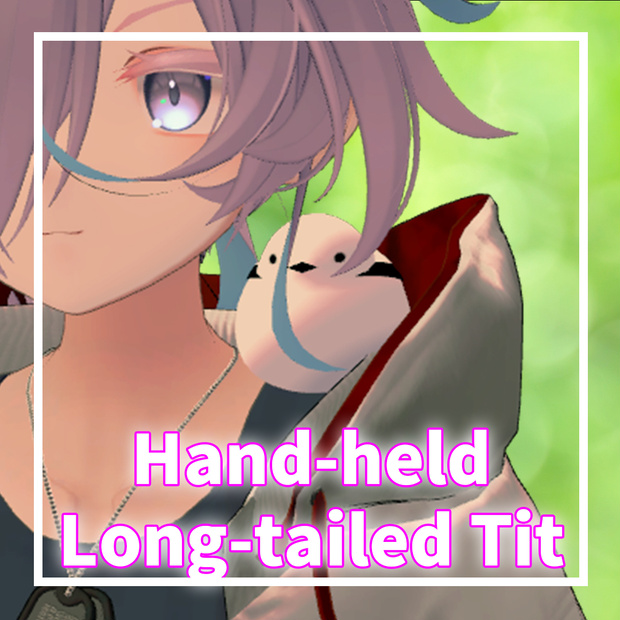
Overview
Compatible with Android
Pre-configured with MA, so you can use it by placing it directly under the avatar
Can move to hand and shoulder by gesture
Product Contents
Prefab included unitypackage
FBX file
Textures
Impact on Performance Rank
Polygon count: 1,224
Number of materials: 1
Number of bones: 2
Number of meshes: 1
Operating Environment
As of 2024/09/18, VRChat SDK_Ver3.7 and Modular Avatar_Ver1.9.13
Notes
We may not be able to respond to people outside of Japanese speaking countries.
When updating, please delete the previous version folder before importing.
On 'Desktop', it can only be placed on the shoulder. While world anchoring is possible, it is not recommended as it continues to face the same direction as the avatar.
Created with Unity2022. Unexpected issues may arise if installed in other versions, and support is not provided for versions other than Unity2022.
While it has been confirmed to work without issue in our environment, it may not function properly if any WriteDefaults are on. This product is generally built with WriteDefaults off, so if it behaves strangely, please ensure all layers in the avatar you're using have WriteDefaults off.
Fixing it from the ExMenu to the world causes the neck to continue to face the same direction as the avatar, so please fix it using the hand gesture.
Operation Method
Fist your right hand near the shoulder to move it to your hand
Open to move it to your shoulder
While on the hand, Rock&Roll with the right hand to fix it to the world
Can also be operated from the ExMenu (for returning to the hand if lost, etc.)
The ON button allows free ON/OFF
How to Install
Please refer to the video
Q&A
Q: It doesn’t work properly A: Check that Avatar self Interact in VRChat's Settings → Avatar is checked. It will not work if this check is off.
Q: The model does not appear even after uploading A: Parameters from the pre-update version may remain and be world-anchored. Turn off World from the ExMenu and reset the avatar.
Q: The model does not move when moving Shoulder Position★ Hand Position★ or when selecting Hips and Constraint does not appear A: The SDK version might be outdated. Please check that you are using version 3.7.0 or above.
Q: The model does not face the correct direction even when changed in Unity A: Bone orientation may differ depending on the avatar. Adjust the animations in the move layer to face the correct direction. Confirmed avatars: Ink Saki (+Head? )
Contact
If there are any issues or uncertainties, please contact the shop's DM
Updates
Released on 2024/08/23
Model replaced on 2024/09/18
Terms of Use
These terms are created using the VN3 license template by Hiroko Ashiyama (@hiorko_TB) (https://www.vn3.org/). By using this model, you agree to these terms of use.
모든 리뷰
더보기리뷰 등록
리뷰를 작성하려면 로그인이 필요합니다.
로그인하고 리뷰 쓰기