'%3e%3cg%20clip-path='url(%23roundHexB)'%3e%3cpath%20fill='%236D5DFC'%20d='M256%2040%20443%20148%20443%20364%20256%20472%2069%20364%2069%20148Z'/%3e%3cpath%20fill='%239C93FB'%20d='M69%20148%20256%2040%20443%20148%20256%20256Z'/%3e%3cpath%20fill='%234A3FD1'%20d='M256%20256%20443%20148%20443%20364%20256%20472Z'/%3e%3c/g%3e%3c!--%20top%20face:%20filled%20round%20magnifier%20--%3e%3cg%20transform='matrix(0.8660254,-0.5,0.8660254,0.5,69,148)'%3e%3cg%20transform='matrix(0.935,0,0,0.935,7.02,7.02)'%3e%3ccircle%20cx='88'%20cy='88'%20r='52'%20fill='%23FFFFFF'/%3e%3ccircle%20cx='88'%20cy='88'%20r='28'%20fill='%239C93FB'/%3e%3cpath%20d='M124%20124%20164%20164'%20stroke='%23FFFFFF'%20stroke-width='26'%20stroke-linecap='round'/%3e%3c/g%3e%3c/g%3e%3cg%20transform='matrix(0.8660254,0.5,0,1,69,148)'%3e%3cpath%20d='M96.1,61.08%20L45.9,128.92%20Q34,145%2054,145%20L162,145%20Q182,145%20170.1,128.92%20L119.9,61.08%20Q108,45%2096.1,61.08%20Z'%20fill='%23FFFFFF'/%3e%3c/g%3e%3c!--%20right%20face:%20filled%20bubble%20--%3e%3cg%20transform='matrix(0.8660254,-0.5,0,1,256,256)'%3e%3cg%20transform='matrix(0.855,0,0,0.855,15.66,15.66)'%3e%3cpath%20d='M60%2042H156a28%2028%200%200%201%2028%2028V158Q184%20168%20174.47%20164.96L124.53%20149.04Q115%20146%20105%20146H60a28%2028%200%200%201-28-28V70a28%2028%200%200%201%2028-28Z'%20fill='%23FFFFFF'/%3e%3c/g%3e%3c/g%3e%3c/g%3e%3c/svg%3e)
 CucumberWorks
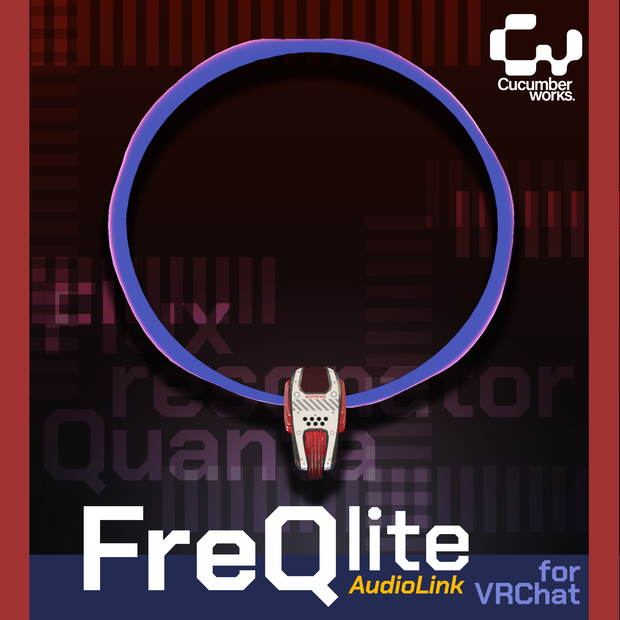
 【VRC想定】【Audiolink】FreQ Lite / PhysBone設定済み
상품 설명
AudioLink対応、詳しくはサンプル動画をご覧ください。AudioLinkのないワールドで、ヘイローの明るさは変わらないままです。
You can see the effect in action in the sample video. The halo will stay at a constant brightness in a world without AudioLink.
PoiyomiとAudioLinkを使用しています。事前に導入してください。
This asset uses Poiyomi and AudioLink. Please import these packages first.
AudioLink
https://github.com/llealloo/vrc-udon-audio-link
また、VCCを使用してAudioLinkを導入することもできます。
You can also import AudioLink using VCC.
Poiyomi Toon Shader
https://booth.pm/ja/items/4841309
<内容データ Contents>
Base
・fbxデータ fbx data (1x)
・マテリアル Material (1x)
・テクスチャ Texture
Premium
・マテリアル Material (3x)
・テクスチャ Texture
BaseとPremiumの違いは、3つの追加マテリアルです。Premiumパッケージに含まれるハローとボディのための4つのマテリアルを自由に組み合わせてください。
The Premium version contains 3 additional materials. You can mix and match the 4 materials for the halo and body included in the Premium package.
<使用説明 Instructions>
- PoiyomiシェーダーとAudioLinkをインポートします。
- Prefabをアバターヒエラルキーのルート階層にD&D。
- PrefabのInspectorメニューのParent Constraintタブで、'None'をアバターの頭のボーンに変更してください。
- 'Activate'をクリックすると、セットアップが完了します。
- Import AudioLink and Poiyomi shader.
- Drag and drop prefab file to the root layer of the hierarchy.
- In the Parent Constraint tab of the prefab's Inspector menu, change the 'None' to the Avatar's Head bone.
- Click "Activate" and the setup is complete.
<規約 Terms>
規約はVN3ライセンステンプレートを使用しております。 The included terms are based on the VN3 license Template.
<その他 Others>
インポート中に問題が発生した場合は、Twitter(X)のDMを使用して私に連絡してください。
If you have issues during importing, please contact me using DM on Twitter(X);
@cucumberworks
모든 리뷰
더보기리뷰 등록
리뷰를 작성하려면 로그인이 필요합니다.
로그인하고 리뷰 쓰기