'%3e%3cg%20clip-path='url(%23roundHexB)'%3e%3cpath%20fill='%236D5DFC'%20d='M256%2040%20443%20148%20443%20364%20256%20472%2069%20364%2069%20148Z'/%3e%3cpath%20fill='%239C93FB'%20d='M69%20148%20256%2040%20443%20148%20256%20256Z'/%3e%3cpath%20fill='%234A3FD1'%20d='M256%20256%20443%20148%20443%20364%20256%20472Z'/%3e%3c/g%3e%3c!--%20top%20face:%20filled%20round%20magnifier%20--%3e%3cg%20transform='matrix(0.8660254,-0.5,0.8660254,0.5,69,148)'%3e%3cg%20transform='matrix(0.935,0,0,0.935,7.02,7.02)'%3e%3ccircle%20cx='88'%20cy='88'%20r='52'%20fill='%23FFFFFF'/%3e%3ccircle%20cx='88'%20cy='88'%20r='28'%20fill='%239C93FB'/%3e%3cpath%20d='M124%20124%20164%20164'%20stroke='%23FFFFFF'%20stroke-width='26'%20stroke-linecap='round'/%3e%3c/g%3e%3c/g%3e%3cg%20transform='matrix(0.8660254,0.5,0,1,69,148)'%3e%3cpath%20d='M96.1,61.08%20L45.9,128.92%20Q34,145%2054,145%20L162,145%20Q182,145%20170.1,128.92%20L119.9,61.08%20Q108,45%2096.1,61.08%20Z'%20fill='%23FFFFFF'/%3e%3c/g%3e%3c!--%20right%20face:%20filled%20bubble%20--%3e%3cg%20transform='matrix(0.8660254,-0.5,0,1,256,256)'%3e%3cg%20transform='matrix(0.855,0,0,0.855,15.66,15.66)'%3e%3cpath%20d='M60%2042H156a28%2028%200%200%201%2028%2028V158Q184%20168%20174.47%20164.96L124.53%20149.04Q115%20146%20105%20146H60a28%2028%200%200%201-28-28V70a28%2028%200%200%201%2028-28Z'%20fill='%23FFFFFF'/%3e%3c/g%3e%3c/g%3e%3c/g%3e%3c/svg%3e)
 RiskiVR
상품 설명
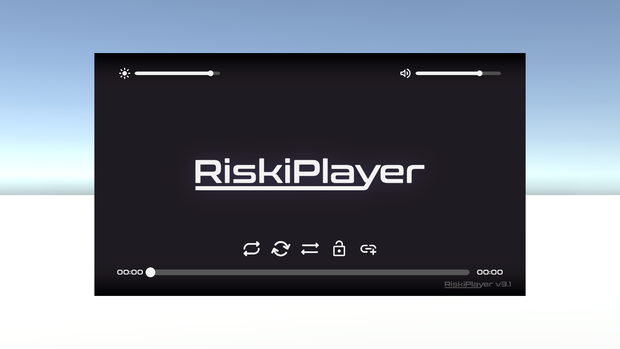
Simple and fancy video player for VRChat with an on-screen interface!
How To Use
• Download VRChat Creator Companion from VRChat and install UdonSharp in your Creator Companion project.
• Download the latest RiskiPlayer Unity Package.
• Install the ProTV package via VCC.
• Import the RiskiPlayer Unity package into your world project.
• Drag & Drop the RiskiPlayer prefab anywhere in the scene or hierarchy.
• Position it wherever you want it in your world! It's resizable as well.
• Add your own buttons! Here's a quick tutorial on how to do so: https://youtu.be/3TY01Dyyvgc
• Configure it's starting behavior; You can toggle it's startup UI visibility on the main RiskiPlayer Object.
About The Project
RiskiPlayer is a modified video player of ArchiTechVR's ProTV player for VRChat with a fancy on-screen interface!
Try it Here!
Contact
RiskiVR - https://riskivr.com
Project Link - https://github.com/RiskiVR/RiskiPlayer
Acknowledgements
ArchiTechVR - ProTV
RiskiVR - RiskiPlayer
MerlinVR - UdonSharp
모든 리뷰
더보기리뷰 등록
리뷰를 작성하려면 로그인이 필요합니다.
로그인하고 리뷰 쓰기