'%3e%3cg%20clip-path='url(%23roundHexB)'%3e%3cpath%20fill='%236D5DFC'%20d='M256%2040%20443%20148%20443%20364%20256%20472%2069%20364%2069%20148Z'/%3e%3cpath%20fill='%239C93FB'%20d='M69%20148%20256%2040%20443%20148%20256%20256Z'/%3e%3cpath%20fill='%234A3FD1'%20d='M256%20256%20443%20148%20443%20364%20256%20472Z'/%3e%3c/g%3e%3c!--%20top%20face:%20filled%20round%20magnifier%20--%3e%3cg%20transform='matrix(0.8660254,-0.5,0.8660254,0.5,69,148)'%3e%3cg%20transform='matrix(0.935,0,0,0.935,7.02,7.02)'%3e%3ccircle%20cx='88'%20cy='88'%20r='52'%20fill='%23FFFFFF'/%3e%3ccircle%20cx='88'%20cy='88'%20r='28'%20fill='%239C93FB'/%3e%3cpath%20d='M124%20124%20164%20164'%20stroke='%23FFFFFF'%20stroke-width='26'%20stroke-linecap='round'/%3e%3c/g%3e%3c/g%3e%3cg%20transform='matrix(0.8660254,0.5,0,1,69,148)'%3e%3cpath%20d='M96.1,61.08%20L45.9,128.92%20Q34,145%2054,145%20L162,145%20Q182,145%20170.1,128.92%20L119.9,61.08%20Q108,45%2096.1,61.08%20Z'%20fill='%23FFFFFF'/%3e%3c/g%3e%3c!--%20right%20face:%20filled%20bubble%20--%3e%3cg%20transform='matrix(0.8660254,-0.5,0,1,256,256)'%3e%3cg%20transform='matrix(0.855,0,0,0.855,15.66,15.66)'%3e%3cpath%20d='M60%2042H156a28%2028%200%200%201%2028%2028V158Q184%20168%20174.47%20164.96L124.53%20149.04Q115%20146%20105%20146H60a28%2028%200%200%201-28-28V70a28%2028%200%200%201%2028-28Z'%20fill='%23FFFFFF'/%3e%3c/g%3e%3c/g%3e%3c/g%3e%3c/svg%3e)
 ∔ShapeshifterClinic∔
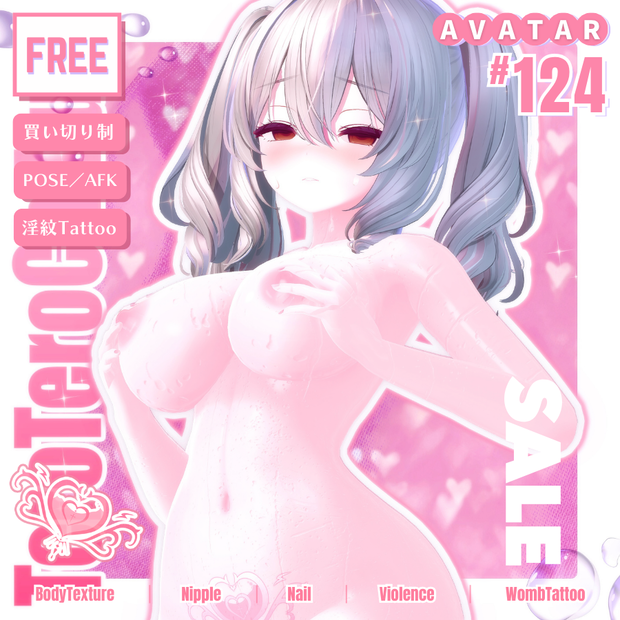
 💗【FREE/124avatar】てろてろ乳首*淫紋❥Nipples&WombTattoo&Nail💗
상품 설명
✦【 𝐌𝐞𝐧𝐮 】✦
┊ Info(JP|KR|EN)
┊ 導入・内容・規約
✦【 𝐍𝐞𝐱𝐭 𝐅𝐫𝐞𝐞 𝐁𝐨𝐧𝐮𝐬 】✦
┊♥10000 🎁 Get FREE-Random100Avatar REALnipple Next Goal《 157 》
┊SALE条件 対応アバター追加ごとに“1週間SALE”3000→2800JPY
┊※「“FullAvatar"」購入者は引き続きDL可能です。
✦【 𝐀𝐝𝐝𝐞𝐝 𝐀𝐯𝐚𝐭𝐚𝐫𝐬 】✦
┊ 7/2:ネルフィ-Nelfy
┊ 7/4:コマネ-Komene
┊ 7/11:ミカ-Mica
┊ 7/20:輝夜-Kaguya
┊ 8/8:うらら-Urara/シウシウ-SiuSiu
┊ 8/20:メルヴィ-Melvii(JST 18:00)
🖤 収録内容について 🖤
本商品は買い切り制で、今後も順次コンテンツを追加予定です。
現在、「124種類」のアバター対応テクスチャーを収録しています。
単体データは Sub SHOP にてお取り扱いしております。
🔜 https://select-ssc.booth.pm/
商品数の増加に伴い、現在はフルパックのみの販売 となっております。
ご購入済でダウンロードできない場合は、ショップまでご連絡ください。
確認後、単体データをギフト対応にてお渡しします。
🖤 𝐎𝐰𝐧𝐞𝐫'𝐬 𝐂𝐡𝐨𝐢𝐜𝐞 🖤
【FREE/商用OK】撮影向けPoseAnimation ❮ ⁺Max1000 ❯
第1弾 https://shapeshiftercl.booth.pm/items/6485829
第2弾 https://shapeshiftercl.booth.pm/items/8064843
第3弾 男性向けポーズ500種 現在制作中→今年販売予定
【FREE/商用CC0】手描き⁺500-Liltoon MatCap
第1弾 https://shapeshiftercl.booth.pm/items/7100790
第2弾 https://shapeshiftercl.booth.pm/items/7614401
ギミックアイテムと組み合わせるとよりオリジナリティーが高まります✧
【FREE】悪&光堕ち∔3TouchMysticTattoo↝《MAギミック対応》
https://shapeshiftercl.booth.pm/items/6660949
▌内容物※順次追加
・“𝐆𝐢𝐦𝐦𝐢𝐜𝐤𝐎𝐧𝐥𝐲”
・“𝐓𝐞𝐱𝐭𝐮𝐫𝐞𝐎𝐧𝐥𝐲” 商用可50Design
↳通常は1枚あたり平均¥300~のデザインを、商用利用可能な50枚セットで ¥1,000(通常¥1,500) にて販売💕
・電脳猫CyberBrainCat“Tattoo”
▌制作予定アイテム
・催眠スマホ HYPNOSIS SMARTPHONE
・媚薬/香水 APHRODISIAC/PERFUME
・パーティクル PARTICLE EFFECTS
・アクセサリー ACCESSORIES
・ヘイロー&尻尾 HALO & TAIL
・状態 STATUS
・音(ASMR) SOUND
・インカム INTERCOM
・触手 TENTACLE
etc.
🖤 FREE無料配布 🖤
✦【 100 Items ↑ 】✦
𝚂𝚎𝚕𝚎𝚌𝚝
https://select-ssc.booth.pm/item_lists/rooT4AyD
𝙼𝚊𝚒𝚗
https://shapeshiftercl.booth.pm/item_lists/8aYTb1y8
🖤 JP 🖤
▌AFK_Sexy
~説明~
アバターAFK(放置)時に動作するアニメーションとして使えるアセットです。
セクシーの一種類を用意しています。パーティクルは任意で使用可能です。
AFK_SexyParticle_HeadHeartの子要素として、湯気のようなパーティクル「Smoke」が含まれています。
初期状態では非アクティブになっており、Inspector でチェックを入れることで有効化できます。
演出を強めたい場合や雰囲気を調整したいときにご活用ください。
~導入方法~
1. 導入後、[∔Shapeshifter Clinic∔] フォルダが Project 内に作成されます。
2. お持ちのアバターのInspector > VRC Avatar Descriptor > Playable Layers > ActionにあるAction Layerスロットをクリックし、Project Window内に表示されたAction Layerを複製して任意の場所へ移動してください。
※ Action Layer がデフォルトで存在しない場合は、VRChat SDKのフォルダ内にある、VRChat SDK - Avatars > Samples > AV3 Demo Assets > Animation > Controllers >VRC_AvatarV3ActionLayer で代用してください。
3. 複製したAction Layerを、アバターのAction Layerスロットにドラッグ&ドロップして設定してください。
4. 複製したAction LayerをAnimator Windowに開き、AFK用ステートのInspector > Motionに、本商品同梱のアニメーションクリップをドラッグ&ドロップしてください。
アバターによって Action Layer の構成は異なるため、AFK用ステートの位置は各自で探す必要があります。
一般的には左下に配置されていることが多いです。
5. パーティクルを使用する場合は、パーティクルのprefabをアバター直下にドラッグ&ドロップしてください。
~内容物~
・AFK_Sexy.anim
・AFK_SexyParticle_HeadHeart.prefab
・Material / Texture
▌ 導入方法-Texture
1. PSD編集ソフトで、適用したいアバターのFaceまたはBodyの最上層、もしくはSkin(肌)の上に購入したPSD内の【Original】フォルダをコピー&ペーストしてください。
※ 色を変更したくない部分がある場合は、【Original】フォルダの上に移動させてください。
2. "乳首(Chikubi)"を非表示にしたい場合は、PSD編集ソフトでそのレイヤーを非表示にしてください。
~ Nailについて ~
1. [2Way 大理石 Nail]Nail TOP 非表示でワンカラーになります。
2. [GlossyNail]パールが歪む場合は、BonusNails対応アバターのGlossyNail内の該当レイヤーをオフにしてください。
~ Unity上の設定~
任意の場所にテクスチャーを配置し、Inspectorで以下の設定を行ってください
1.Max Size: 2048 → 8192
2.Compression: Normal Quality → High Quality
3.Apply
マテリアル設定で輪郭をオフにすると、より自然な仕上がりになります。
乳首&乳シェイプキーを使用して、テクスチャーが自然に見えるよう調整してください。
※より良い質感を得るには、本ページ内の画像をご参照ください。
~ “Question”~
身体と首の繋ぎ目の色が合わないと感じたら...
1.メインカラー以外のチェックを全て外す
2.影設定をFACE&BODY同じ色になるようコピー&ペースとして揃えると解消される場合がございます。
~内容物~
💝𝐅𝐮𝐥𝐥𝐀𝐯𝐚𝐭𝐚𝐫💝
3種類のテクスチャーが同梱されております。
現在提供されている全てのアバターテクスチャが同梱されたパックです。
新しいテクスチャが追加された場合、DL更新で利用可能になります。
▌利用規約
改変可・二次配布・転売禁止
本データの使用により生じたいかなるトラブル、損失、損害に対しても製作者は一切の責任を負いません。
ご質問やバグ報告は、“∔Shapeshifter Clinic∔”トップページのメッセージ機能からお問い合わせください。
🖤 KR 🖤
▌AFK_Sexy
~설명~
아바타가 AFK(부재/자리 비움) 상태일 때 동작하는 애니메이션으로 사용할 수 있는 애셋입니다.
섹시한 모션 1종류가 제공되며, 파티클은 선택적으로 사용할 수 있습니다.
AFK_SexyParticle_HeadHeart의 자식 요소로, 김처럼 표현되는 파티클 "Smoke" 가 포함되어 있습니다.
기본 상태에서는 비활성화되어 있으며, Inspector에서 체크를 활성화하면 사용할 수 있습니다.
연출을 강화하거나 분위기를 조정하고 싶을 때 활용해 보세요.
~도입 방법~
1. 도입 후, Project 내에 [∔Shapeshifter Clinic∔] 폴더가 생성됩니다.
2. 아바타 Inspector > VRC Avatar Descriptor > Playable Layers > Action 에서 Action Layer 슬롯을 클릭하고, Project Window에 표시된 Action Layer를 복제하여 원하는 위치로 이동합니다.
※ Action Layer가 기본으로 존재하지 않는 경우, VRChat SDK 폴더 내 VRChat SDK - Avatars > Samples > AV3 Demo Assets > Animation > Controllers > VRC_AvatarV3ActionLayer 를 사용하세요.
3. 복제한 Action Layer를 아바타의 Action Layer 슬롯에 드래그 앤 드롭하여 설정합니다.
4. Animator Window에서 복제한 Action Layer를 열고, AFK용 State의 Inspector > Motion에 본 상품에 포함된 애니메이션 클립을 드래그 앤 드롭합니다.
아바타마다 Action Layer의 구성은 다르므로, AFK용 State의 위치는 직접 찾아야 합니다. 일반적으로 좌하단에 배치되어 있습니다.
5. 파티클을 사용할 경우, 파티클 prefab을 아바타 루트에 드래그 앤 드롭하세요.
~내용물~
・AFK_Sexy.anim
・AFK_SexyParticle_HeadHeart.prefab
・Material / Texture
▌도입 방법-Texture
1. PSD 편집 프로그램에서 적용할 아바타의 Face 또는 Body 상단, 혹은 Skin(피부) 위에 구매한 PSD 내 【Original】 폴더를 복사 & 붙여넣기 합니다.
※ 색상을 변경하지 않으려는 부분이 있다면, 【Original】 폴더를 그 위로 이동시키세요.
2. "유두" 레이어를 숨기고 싶다면 PSD 편집 프로그램에서 해당 레이어를 비활성화하세요.
~ 네일 안내 ~
1. [2Way 마블 네일]
Nail TOP 레이어를 숨기면 원컬러 네일로 사용할 수 있습니다.
2. [Glossy Nail]
펄이 왜곡되어 보이는 경우,
BonusNails 지원 아바타의 GlossyNail 내 해당 레이어를 비활성화해 주세요.
~Unity 상의 설정~
텍스처를 원하는 위치에 배치하고, Inspector에서 다음과 같이 설정하세요.
1. Max Size: 2048 → 8192
2. Compression: Normal Quality → High Quality
3. Apply
Material 설정에서 윤곽선을 끄면 더 자연스럽게 표현됩니다.
유두 & 가슴 Shape Key를 사용하여 텍스처가 자연스럽게 보이도록 조정하세요.
※ 더 나은 질감을 얻으려면, 본 페이지 내 이미지를 참고하세요.
~“Question”~
몸과 목의 경계 색이 맞지 않는다고 느껴진다면…
1. 메인 컬러 이외의 체크를 모두 해제
2. 그림자 설정을 FACE & BODY가 같은 색이 되도록 복사 & 붙여넣기 하면 해결되는 경우가 있습니다.
~내용물~
💝𝐅𝐮𝐥𝐥𝐀𝐯𝐚𝐭𝐚𝐫💝
3종류의 텍스처가 포함되어 있습니다.
현재 제공되는 모든 아바타 텍스처가 포함된 패키지입니다.
새로운 텍스처가 추가되면, 다운로드 갱신을 통해 이용할 수 있습니다.
▌이용 규약
변경 가능 / 2차 배포·재판매 금지
본 데이터를 사용하여 발생한 어떠한 문제, 손실, 손해에 대해서도 제작자는 책임을 지지 않습니다.
문의나 버그 제보는 “∔Shapeshifter Clinic∔” 메인 페이지의 메시지 기능을 통해 연락해 주세요.
🖤 EN 🖤
▌AFK_Sexy
~Description~
This is an animation asset that can be used when your avatar is AFK (away from keyboard/idle).
It includes one “sexy” motion. Particles are optional.
As a child object of AFK_SexyParticle_HeadHeart, a steam-like particle called “Smoke” is included.
By default, it is inactive. You can enable it in the Inspector by checking the box.
Use this when you want to enhance the effect or adjust the overall atmosphere.
~Installation~
1. After importing, a folder named [∔Shapeshifter Clinic∔] will be created in your Project.
2. Go to your avatar’s Inspector > VRC Avatar Descriptor > Playable Layers > Action, click the Action Layer slot, duplicate the Action Layer shown in the Project Window, and move it to a desired location.
※ If the Action Layer is not available by default, you can use the one found in:
VRChat SDK - Avatars > Samples > AV3 Demo Assets > Animation > Controllers > VRC_AvatarV3ActionLayer.
3. Drag & drop the duplicated Action Layer into your avatar’s Action Layer slot.
4. Open the duplicated Action Layer in the Animator Window. In the AFK state, drag & drop the animation clip included with this product into Inspector > Motion.
Note: The structure of the Action Layer may vary depending on the avatar, so you will need to locate the AFK state yourself. Typically, it is found in the bottom-left corner.
5. If you wish to use the particles, drag & drop the particle prefab under the avatar root.
~Contents~
・AFK_Sexy.anim
・AFK_SexyParticle_HeadHeart.prefab
・Material / Texture
▌Texture Installation
1. In your PSD editing software, copy & paste the 【Original】 folder from the purchased PSD onto the top layer of your avatar’s Face or Body, or above the Skin layer.
※ If there are parts you do not want to recolor, move the 【Original】 folder above those areas.
2. If you want to hide the “Nipple (Chikubi)” layer, simply turn off its visibility in your PSD software.
~About Nails~
1. [2Way Marble Nail]
Hiding the Nail TOP layer will switch the nail to a solid color style.
2. [Glossy Nail]
If the pearl effect appears distorted, please turn off the corresponding layer inside GlossyNail for BonusNails-supported avatars.
~Unity Settings~
Place the texture anywhere you like and configure the following in the Inspector:
1. Max Size: 2048 → 8192
2. Compression: Normal Quality → High Quality
3. Apply
For a more natural look, disable the outline in the material settings.
Use the nipple & breast shape keys to adjust the texture so it looks natural.
※ For best quality results, please refer to the sample images on this page.
~“Question”~
If you notice that the color between the body and neck doesn’t match…
1. Uncheck all options except the Main Color.
2. Copy & paste the shadow settings so that FACE & BODY share the same color. This often resolves the issue.
~Contents~
💝𝐅𝐮𝐥𝐥𝐀𝐯𝐚𝐭𝐚𝐫💝
Includes 3 types of textures.
This is a pack containing all avatar textures currently available.
When new textures are added, they will be accessible through updated downloads.
▌Terms of Use
・ Modification allowed
・ Redistribution & reselling prohibited
・ The creator takes no responsibility for any issues, losses, or damages arising from the use of this data.
For inquiries or bug reports, please use the message function on the “∔Shapeshifter Clinic∔” main page.
🖤 Avatars 🖤
“STUDIO JINGO”様
⚝.クマリ-Kumaly
⚝.マヌカ-Manuka
⚝.セレスティア-Selestia
⚝.竜胆-Rindo
⚝.イメリス-Imeris
⚝.イヨ-Iyo
“あまとうさぎ”様
⚝.プラム-Plum
⚝.ショコラ-Chocolat
⚝.シフォン-Chiffon
⚝.ライム-Lime
⚝.カリン-Karin
“ポンデロニウム研究所”様
⚝.しなの-Shinano
⚝.桔梗-Kikyo
“IKUSIA”様
⚝.りりか-Ririka
⚝.ルルネ-Rurune
⚝.瑞希-Mizuki
⚝.真央-Mao
⚝.輝夜‐Kaguya
“キュビクローゼット”様
⚝.愛莉-Airi
⚝.萌-Moe
⚝.舞夜-Maya
⚝.ティエン-Tien
“ぷらすわん”様
⚝.真冬-Mafuyu
⚝.ミルフィ-Milfy
“FLASTORE”様
⚝.マオン-Maon
⚝.ネモ-Nemo
⚝.ウォルフラム-Wolfram
⚝.ワラビ-Warabi
⚝.フェイロン-Feilong
“Mister Pink”様
⚝.ヴェール-Velle
⚝.ウルキ-Uruki
“こよりLabo”様
⚝.サリア-Saria
⚝.むろむ-Muromu
⚝.ルチカ-Luchika
https://nagatorokoyori.booth.pm/
“VERMILION .Studio”様
⚝.スノーハヴォック-Snowhavoc
⚝.リーサルフリート-Lethalfreet
⚝.デルタフレア-Deltaflair
⚝.リリモカ-Lilimoca
⚝.ラムダ-Lambda
⚝.シィ&ファイ-Sii&Phi
⚝.ラシューシャ-Lasyusha
https://booth.pm/ja/items/4825073
⚝.ビナア-Binah
https://booth.pm/ja/items/5694887
⚝.リゼ-Rize
https://booth.pm/ja/items/5496642
⚝.キリセ-Kirise
https://booth.pm/ja/items/5789025
⚝.きゃろん-Kyalóng
https://booth.pm/ja/items/5360670
⚝.キシャ-Kisha
https://booth.pm/ja/items/6655159
⚝.しお-Sio
https://booth.pm/ja/items/5650156
⚝.まよ-Mayo
https://booth.pm/ja/items/8122803
⚝.ゾメちゃん-Avzomend
https://booth.pm/ja/items/4118550
⚝.みるくらて&しゅがーらて-Milklatte&Sugarlatte
https://kaerimichi.booth.pm/items/582261
⚝.ユギ&ミヨ-Yugi&Miyo
https://booth.pm/ja/items/4358508
⚝.ルゼブル-Lzebul
https://shisyo.booth.pm/items/4887691
⚝.ネメシス-Nemesis
https://booth.pm/ja/items/5986971
⚝.シアン-Cian
https://booth.pm/ja/items/5482062
⚝.エク-Eku
https://booth.pm/ja/items/7328764
⚝.イリス-Iris
https://booth.pm/ja/items/5209634
⚝.ナナセ・ノワール-NanaseNoir
https://booth.pm/ja/items/5827815
⚝.ミルティナ-Milltina
https://booth.pm/ja/items/6538026
⚝.弐番-NIBAN
https://booth.pm/ja/items/6858738
⚝.モルフォ-Morpho
https://booth.pm/ja/items/5525696
⚝.あのめあ-Anomea
https://booth.pm/ja/items/5020157
⚝.幽狐族のお姉様-Yuukosan
https://booth.pm/ja/items/1484117
⚝.ぽまえ-Pomae
https://booth.pm/ja/items/6054752
⚝.にゃにゃし-Nyanyasi
https://booth.pm/ja/items/6082750
⚝.白雨-Hakuu
https://booth.pm/ja/items/6211186
⚝.ラズリーLazuli
https://booth.pm/ja/items/5255692
⚝.累惟-Rui
https://booth.pm/ja/items/7153176
⚝.リーメー-Leeme&リーバー-Reeva
https://booth.pm/ja/items/972559
⚝.リルモワ-Liloumois
https://booth.pm/ja/items/4296377
⚝.ペルラ-Perula
https://booth.pm/ja/items/5565569
⚝.アンジェ-Ange
https://booth.pm/ja/items/2951293
⚝.しゅり-Shri
https://booth.pm/ja/items/5694682
⚝.イベリス-Iberis
https://booth.pm/ja/items/6292193
⚝.ヴァーニー-Varney
https://booth.pm/ja/items/5861985
⚝.リベラーRibera
https://booth.pm/ja/items/6253733
⚝.リリアパ-Rereapa
https://booth.pm/ja/items/6765898
⚝.アスモデウス-Asmodeus
https://booth.pm/ja/items/5626664
⚝.アオイ-Aoi
https://booth.pm/ja/items/3560088
⚝.ヒッチ-Hichi
https://booth.pm/ja/items/7122020
⚝.しゅあん-Shuan
https://booth.pm/ja/items/6669962
⚝.エルシオン-ELusion
https://booth.pm/ja/items/6663666
⚝.イチゴ-Ichigo
https://booth.pm/ja/items/7328789
⚝.シャンテト-Shantet
https://nyawatesou.booth.pm/items/7376676
⚝.ルミア-Lumia
https://booth.pm/ja/items/7420249
⚝.ぷま-Puma
https://booth.pm/ja/items/7062407
⚝.ルミナ-Lumina
https://booth.pm/ja/items/7502898
⚝.ルリエ-Lurie
https://booth.pm/ja/items/7427949
⚝.テルミ-Telmy
https://booth.pm/ja/items/7432015
⚝.ヒビキ-Hibiki
https://booth.pm/ja/items/7246910
⚝.ノーチカ-Nochica
https://booth.pm/ja/items/7363489
⚝.リナシータ-Rinasciita
https://booth.pm/ja/items/7475899
⚝.レンフア-Renfua
https://booth.pm/ja/items/7544937
⚝.マドレーヌ-Madeleine
https://booth.pm/ja/items/7688938
⚝.ツユナ-Tsuyuna
https://booth.pm/ja/items/7506277
⚝.ラムネ-Ramune
https://booth.pm/ja/items/7699667
⚝.璃々-Lili
https://booth.pm/ja/items/7501600
⚝.ひかるん-Hikarun
https://booth.pm/ja/items/7827639
⚝.ウェンディ-Wendy
https://booth.pm/ja/items/7841391
⚝.カプリィナ-Caprilina
https://booth.pm/ja/items/7916420
⚝.りる-Riru
https://booth.pm/ja/items/8062861
⚝.玲-Rei
https://booth.pm/ja/items/7622374
⚝.Mie-ミエ
https://kaikaikai.booth.pm/items/8224577
⚝.ユーフォリカ-Euphorika
https://booth.pm/ja/items/8241682
⚝.オトハRe-OtohaRe
https://booth.pm/ja/items/8319051
⚝.海咲-Misaki
https://booth.pm/ja/items/8325804
⚝.ルナリィ-Lunary
https://booth.pm/ja/items/8273065
⚝.ネル子-Neruco
https://booth.pm/ja/items/8182467
⚝.リンネ-Linne
https://booth.pm/ja/items/8355117
⚝.ミリア-Miria
https://booth.pm/ja/items/8365847
⚝.シャミ-Shami
https://booth.pm/ja/items/8328967
⚝.ミリアム-Miriam
https://booth.pm/ja/items/8339077
⚝.リュミィ-Ryumii
https://booth.pm/ja/items/8393733
⚝.ぽわり-Powari
https://booth.pm/ja/items/8352244
⚝.レイ-Rei
https://booth.pm/ja/items/8067942
⚝.ネルフィ-Nelfy
https://booth.pm/ja/items/8458462
⚝.コマネ-Komene
https://booth.pm/ja/items/8503652
⚝.ミカ-Mica
https://booth.pm/ja/items/8361609
⚝.シウシウ-SiuSiu
https://booth.pm/ja/items/8426340
⚝.うらら-Urara
https://booth.pm/ja/items/8166471
⚝.メルヴィ-Melvii
https://booth.pm/ja/items/8727844
etc...順次追加予定
🛒ご購入者様へ大切なお知らせ❕️
製品ラインナップの拡充に伴い、BOOTHプラットフォームの商品メニュー上限を超過して表示に支障が生じてしまいました。
お客様には大変ご不便をおかけし、誠に申し訳ございません。
これまでアバター毎の個別販売を行っていた商品につきましては、全てのTextureを1つのメニューにまとめさせていただくこととなりました。
単品ご購入のお客様で、ダウンロードページにアクセスいただけない場合は、お手数ですが当ショップまでご連絡ください。
ダウンロードリンクをお送りさせていただきます。
この仕様変更につきましては、予期せぬ事態の発生により、急遽対応せざるを得ない状況となりました。
お客様の深いご理解を賜れますと幸いです。
【変更点】
・個別メニュー1体からフルアバターのみのメニュー
※フルアバターは今後も買い切りで順次追加いたします。
・1体対応アバター追加ごとに"1週間SALE"3,000JPY→2,800JPY
【参考】
BOOTHのバリエーションメニューの設定については以下のようになっています。
・バリエーションメニューは最大20種類まで登録できます。
・メニュー項目の名称は20文字以内で設定する必要があります。
・表示されるメニューの数は、商品ページの表示スペースによって異なりますが、20種類以上登録した場合、一部のメニュー項目が表示されない可能性があります。
2024/12/4
🛒구매자분들께 중요한 공지사항❕️
제품 라인업 확장으로 인해 BOOTH 플랫폼의 상품 메뉴 상한을 초과하여 표시에 문제가 발생했습니다. 고객 여러분께 큰 불편을 드려 진심으로 사과드립니다. 지금까지 아바타별로 개별 판매하던 상품들은 모든 텍스처를 하나의 메뉴로 통합하게 되었습니다. 단품을 구매하신 고객 중 다운로드 페이지에 접속할 수 없는 경우, 저희 쇼핑몰로 연락 주시면 다운로드 링크를 보내드리겠습니다.
이번 사양 변경은 예상치 못한 상황으로 인해 긴급히 대응해야 했습니다. 고객 여러분의 깊은 이해를 부탁드립니다. 연말까지 10개의 추가 아바타를 제공할 계획입니다.
*변경 사항*
- 개별 메뉴 (1개 800엔)에서 전체 아바타 메뉴 (현재 50개 아바타) 3,000엔으로 변경
- 전체 아바타는 지속적으로 구매 가능하며 순차적으로 추가 예정
- 1개 대응 아바타 추가 시 "1주일 SALE" 실시 (3,000JPY → 2,800JPY)
2024/12/4
🛒Important Notice to Purchasers ❕️
Due to the expansion of our product lineup, we have exceeded the product menu limit on the BOOTH platform, causing display issues. We sincerely apologize for any inconvenience this may cause our customers. Henceforth, products previously sold individually for each avatar will be consolidated into a single menu with all textures.
If you are a single-item purchaser and cannot access the download page, please contact our store, and we will send you the download link. This specification change was necessitated by unforeseen circumstances that required our immediate attention. We kindly request your understanding.
*Changes*
- The menu has been changed from single avatars to full avatar packages.
- Temporary sale: When a new single-avatar is added, we'll offer a 1-week sale price of 2,800 JPY (down from 3,000 JPY)
2024/12/4
📮Update
【更新内容】
1. 色合いを大幅に変更
2. Nailテクスチャを追加
3. 上乗せファイルのみの提供
・初心者の方にもわかりやすいよう、これまでの加筆された画像にまとめていたスタイルから、今回の更新では上乗せファイルのみの提供となります。
・更新されたPSDファイルを開くと、上乗せ用のファイルのみが含まれています。
“Original”ファイルを使用中のPSDレイヤーにコピー&ペーストしていただくことでご利用いただけます。
・アバターのPSD内容によって異なるため、色を変更したい部分に“Original”ファイルを移動し、調整する必要があります。
【업데이트 내용】
1. 색감을 대폭 변경
2. 네일 텍스처 추가
3. 상위 파일만 제공
・초보자도 이해하기 쉽도록, 지금까지 추가된 이미지를 모아놓은 스타일에서 이번 업데이트에서는 상위 파일만 제공됩니다.
・업데이트된 PSD 파일을 열면 상위 레이어용 파일만 포함되어 있습니다.
"Original" 파일을 사용 중인 PSD 레이어에 복사 & 붙여넣기 하여 사용하실 수 있습니다.
・아바타의 PSD 내용에 따라 다르므로, 색상을 변경하고 싶은 부분에 "Original" 파일을 이동시켜 조정해야 합니다.
❖ Updated Contents
1. changed color scheme significantly
2. added Nail texture
3. only add-on files are provided
・In order to make it easier for beginners to understand, this update provides only the add-on files, instead of the style that has been used in the past, where the images are grouped together with the added textures.
・When you open the updated PSD file, you will see that it contains only the add-on file, which you can use by copying and pasting the "Original" file into the PSD layer you are currently using.
The "Original" file can be copied and pasted into the PSD layer you are using. ・You will need to move the "Original" file to the area where you want to change the color and adjust it, as it will vary depending on the PSD content of your avatar.
2024/8/16
모든 리뷰
더보기리뷰 등록
리뷰를 작성하려면 로그인이 필요합니다.
로그인하고 리뷰 쓰기