'%3e%3cg%20clip-path='url(%23roundHexB)'%3e%3cpath%20fill='%236D5DFC'%20d='M256%2040%20443%20148%20443%20364%20256%20472%2069%20364%2069%20148Z'/%3e%3cpath%20fill='%239C93FB'%20d='M69%20148%20256%2040%20443%20148%20256%20256Z'/%3e%3cpath%20fill='%234A3FD1'%20d='M256%20256%20443%20148%20443%20364%20256%20472Z'/%3e%3c/g%3e%3c!--%20top%20face:%20filled%20round%20magnifier%20--%3e%3cg%20transform='matrix(0.8660254,-0.5,0.8660254,0.5,69,148)'%3e%3cg%20transform='matrix(0.935,0,0,0.935,7.02,7.02)'%3e%3ccircle%20cx='88'%20cy='88'%20r='52'%20fill='%23FFFFFF'/%3e%3ccircle%20cx='88'%20cy='88'%20r='28'%20fill='%239C93FB'/%3e%3cpath%20d='M124%20124%20164%20164'%20stroke='%23FFFFFF'%20stroke-width='26'%20stroke-linecap='round'/%3e%3c/g%3e%3c/g%3e%3cg%20transform='matrix(0.8660254,0.5,0,1,69,148)'%3e%3cpath%20d='M96.1,61.08%20L45.9,128.92%20Q34,145%2054,145%20L162,145%20Q182,145%20170.1,128.92%20L119.9,61.08%20Q108,45%2096.1,61.08%20Z'%20fill='%23FFFFFF'/%3e%3c/g%3e%3c!--%20right%20face:%20filled%20bubble%20--%3e%3cg%20transform='matrix(0.8660254,-0.5,0,1,256,256)'%3e%3cg%20transform='matrix(0.855,0,0,0.855,15.66,15.66)'%3e%3cpath%20d='M60%2042H156a28%2028%200%200%201%2028%2028V158Q184%20168%20174.47%20164.96L124.53%20149.04Q115%20146%20105%20146H60a28%2028%200%200%201-28-28V70a28%2028%200%200%201%2028-28Z'%20fill='%23FFFFFF'/%3e%3c/g%3e%3c/g%3e%3c/g%3e%3c/svg%3e)
 IruaAtelier
상품 설명
- Sample World Link
https://vrchat.com/home/launch?worldId=wrld_c4bf7d5d-c079-4a3c-aa73-59f68c312470
- 3200 Sale ~ 26. 4. 3
JP
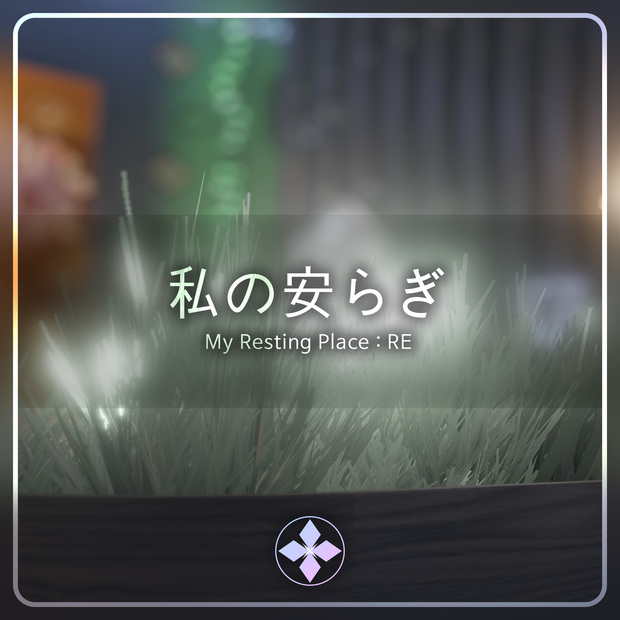
VRChatで使用可能なワールドアセットです。
個人用ギミックが用意されているため、必ずご自身のVRChatユーザー名を「World Setting (Name, Color)」に登録して使用してください。
- 推奨環境
本アセットを利用するための推奨環境は以下の通りです。
Unity 2022.3.22f1
VRChat SDK - Worlds 3.10.x 以上
※これ以外の環境での動作は保証いたしかねます。
- 使用方法
1. VCC(VRChat Creator Companion)を使用して、空のWorld Projectを作成します。
2. アセットに含まれているPackageを順番にインポートします。
3. `IruaAtelier - MyRestingPlace_RE` 内にあるSceneファイルをダブルクリックして開きます。
- その他注意事項
Unity内蔵のLightmapperを使用しています。必要に応じて、Unityメニューの **Window > Rendering > Lighting** からライトマップを再度ベイクしてください。
AndroidおよびiOS環境に対応しています。SDKでビルドターゲットを追加してアップロードすれば、そのまま使用できる設定になっています。
- 利用規約
本アセットは、VRChat内での「Public」設定でのアップロードを許可します。
https://drive.google.com/file/d/1FGdy7UR_9WUWnmo_eBoCMaq0s9eRwIa2/view?usp=sharing
KR
VRChat 에서 사용 가능한 World 에셋입니다.
개인용 기믹이 준비되어있기때문에, 꼭 본인의 VRChat 이름을 "World Setting (Name, Color)" 에 등록하여 사용해주세요.
- 에셋을 이용하기 위한 권장환경은 아래와 같습니다.
Unity 2022.3.22f1
VRChat SDK - Worlds 3.10.x 이상
* 이 외의 환경에서 작동을 보증하기 어렵습니다.
- 에셋의 사용방법
1. VCC를 사용하여 비어있는 World Project를 생성합니다.
2. 에셋에 포함된 Package를 차례대로 Import 합니다.
3. IruaAtelier - MyRestingPlace_RE 내에 있는 Scene 파일을 더블클릭하여 오픈합니다.
- 기타참고사항
Unity의 내장 Lightmapper를 사용합니다. 필요시, 유니티의 메뉴바 - Window - Rendering - Lighting 에서 라이트맵을 다시 베이크 해주십시오.
Android 및 iOS 환경을 대응합니다. SDK에서 빌드타켓을 추가하여 업로드하면 그대로 사용이 가능하게 세팅되어있습니다.
- 이용약관
해당 에셋은 VRC Public의 업로드가 허용됩니다.
https://drive.google.com/file/d/15VbBzka4yW2Ir0B3ubHzYVW8UX7DmHop/view?usp=sharing
EN
This is a world asset ready for use in VRChat.
Personalized gimmicks are included. Please make sure to register your VRChat username in "World Setting (Name, Color)" before use.
- Recommended Environment
The following environment is recommended for using this asset:
Unity 2022.3.22f1
VRChat SDK - Worlds 3.10.x or higher
Note: Operation in other environments cannot be guaranteed.
- How to Use
1. Create a new empty World Project using VCC (VRChat Creator Companion).
2. Import the packages included in the asset in order.
3. Open the scene file located in IruaAtelier - MyRestingPlace_RE.
- Additional Notes
This asset uses Unity’s built-in Lightmapper. If necessary, please re-bake the lightmaps via Window > Rendering > Lighting in the Unity menu bar.
Android and iOS compatible. The settings are pre-configured so that you can upload them directly by adding the build target in the SDK.
- Terms of Use
Uploading this asset as a Public World in VRChat is permitted.
https://drive.google.com/file/d/1MTd1PTs5R7eMmw-MvuT7V2B0CMgPlovB/view?usp=sharing
Credit
Mochies Unity Shaders - MochiesCode (MIT License)
https://github.com/MochiesCode/Mochies-Unity-Shaders
YamaPlayer - VRChat向け動画プレイヤー【Video Player】
https://yamadev.booth.pm/items/4768863
VRCLightVolumes - REDSIM (MIT License)
https://github.com/REDSIM/VRCLightVolumes
Update Log
2026. 3. 30
2.00 | 私の安らぎ | My Resting Place : RE
2026. 4. 9
2.01 | Resolve Udon-related errors that may occur when importing other World Asset
모든 리뷰
더보기리뷰 등록
리뷰를 작성하려면 로그인이 필요합니다.
로그인하고 리뷰 쓰기