'%3e%3cg%20clip-path='url(%23roundHexB)'%3e%3cpath%20fill='%236D5DFC'%20d='M256%2040%20443%20148%20443%20364%20256%20472%2069%20364%2069%20148Z'/%3e%3cpath%20fill='%239C93FB'%20d='M69%20148%20256%2040%20443%20148%20256%20256Z'/%3e%3cpath%20fill='%234A3FD1'%20d='M256%20256%20443%20148%20443%20364%20256%20472Z'/%3e%3c/g%3e%3c!--%20top%20face:%20filled%20round%20magnifier%20--%3e%3cg%20transform='matrix(0.8660254,-0.5,0.8660254,0.5,69,148)'%3e%3cg%20transform='matrix(0.935,0,0,0.935,7.02,7.02)'%3e%3ccircle%20cx='88'%20cy='88'%20r='52'%20fill='%23FFFFFF'/%3e%3ccircle%20cx='88'%20cy='88'%20r='28'%20fill='%239C93FB'/%3e%3cpath%20d='M124%20124%20164%20164'%20stroke='%23FFFFFF'%20stroke-width='26'%20stroke-linecap='round'/%3e%3c/g%3e%3c/g%3e%3cg%20transform='matrix(0.8660254,0.5,0,1,69,148)'%3e%3cpath%20d='M96.1,61.08%20L45.9,128.92%20Q34,145%2054,145%20L162,145%20Q182,145%20170.1,128.92%20L119.9,61.08%20Q108,45%2096.1,61.08%20Z'%20fill='%23FFFFFF'/%3e%3c/g%3e%3c!--%20right%20face:%20filled%20bubble%20--%3e%3cg%20transform='matrix(0.8660254,-0.5,0,1,256,256)'%3e%3cg%20transform='matrix(0.855,0,0,0.855,15.66,15.66)'%3e%3cpath%20d='M60%2042H156a28%2028%200%200%201%2028%2028V158Q184%20168%20174.47%20164.96L124.53%20149.04Q115%20146%20105%20146H60a28%2028%200%200%201-28-28V70a28%2028%200%200%201%2028-28Z'%20fill='%23FFFFFF'/%3e%3c/g%3e%3c/g%3e%3c/g%3e%3c/svg%3e)
 blacklilithvrc
상품 설명
This item is use for game world specifically for VRChat, not for avatar. If you want to use it on your avatar, I'm not the person you want to ask.
Please follow these steps strictly
1/ Import the latest SDK3 on VRChat website
2/ Import the latest Udon# from Merlin. Or simply just use Creator companion from VRChat website will have option to let you import the latest version.
3/ Make sure you have the VRCworld and already setup the physic layer.
4/ Make a custom layer call Touchy at position 30 in the Layer. Please look at picture Food1
5/ In the Assets>InteractUdon, drag the PlayerInteracAbleMain.prefab into your scene
6/ In the Asset>EatingLogic>Prefab, drag the CannedFoodPrefab.prefab into your scene.
7/ Upload and test it.
How to open the food can?
=> Hold the index trigger and move your controller to the direction opposite of the tin of the can.
Best example, please follow the direction red arrow from the picture Food3
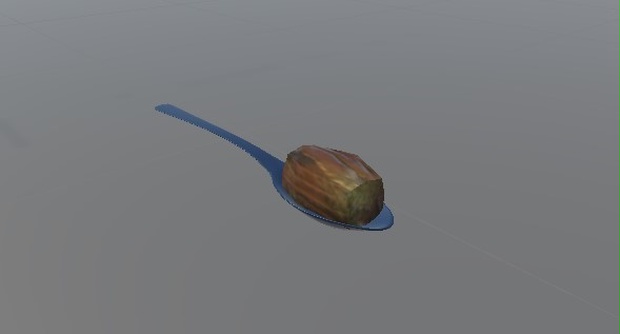
Once you open, you can't close it. Just pickup the spoon and eat the food yourself or feed your friend.
How to reset everything?
=> Click the white cube
Video preview: https://youtu.be/5wb99PCsPBg
For any question, please discord message me
Black Lilith#5464
You're free to do whatever you want to the model and the code without any consequence.
모든 리뷰
더보기리뷰 등록
리뷰를 작성하려면 로그인이 필요합니다.
로그인하고 리뷰 쓰기