'%3e%3cg%20clip-path='url(%23roundHexB)'%3e%3cpath%20fill='%236D5DFC'%20d='M256%2040%20443%20148%20443%20364%20256%20472%2069%20364%2069%20148Z'/%3e%3cpath%20fill='%239C93FB'%20d='M69%20148%20256%2040%20443%20148%20256%20256Z'/%3e%3cpath%20fill='%234A3FD1'%20d='M256%20256%20443%20148%20443%20364%20256%20472Z'/%3e%3c/g%3e%3c!--%20top%20face:%20filled%20round%20magnifier%20--%3e%3cg%20transform='matrix(0.8660254,-0.5,0.8660254,0.5,69,148)'%3e%3cg%20transform='matrix(0.935,0,0,0.935,7.02,7.02)'%3e%3ccircle%20cx='88'%20cy='88'%20r='52'%20fill='%23FFFFFF'/%3e%3ccircle%20cx='88'%20cy='88'%20r='28'%20fill='%239C93FB'/%3e%3cpath%20d='M124%20124%20164%20164'%20stroke='%23FFFFFF'%20stroke-width='26'%20stroke-linecap='round'/%3e%3c/g%3e%3c/g%3e%3cg%20transform='matrix(0.8660254,0.5,0,1,69,148)'%3e%3cpath%20d='M96.1,61.08%20L45.9,128.92%20Q34,145%2054,145%20L162,145%20Q182,145%20170.1,128.92%20L119.9,61.08%20Q108,45%2096.1,61.08%20Z'%20fill='%23FFFFFF'/%3e%3c/g%3e%3c!--%20right%20face:%20filled%20bubble%20--%3e%3cg%20transform='matrix(0.8660254,-0.5,0,1,256,256)'%3e%3cg%20transform='matrix(0.855,0,0,0.855,15.66,15.66)'%3e%3cpath%20d='M60%2042H156a28%2028%200%200%201%2028%2028V158Q184%20168%20174.47%20164.96L124.53%20149.04Q115%20146%20105%20146H60a28%2028%200%200%201-28-28V70a28%2028%200%200%201%2028-28Z'%20fill='%23FFFFFF'/%3e%3c/g%3e%3c/g%3e%3c/g%3e%3c/svg%3e)
 Kadeko
상품 설명
Update (04/04/2022) I fixed the zip file. Everything should be working now. Thank you for making me aware of the issue.
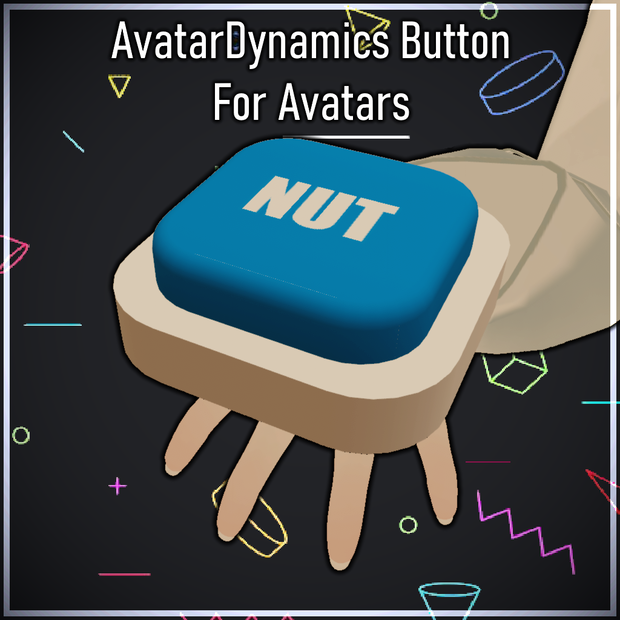
This is interactable button using AvatarDynamics: Proximity Contact Receiver.
This is meant for Avatars only! Pressing down the button (Using Hands, Legs or Head) plays the sound.
Easy to customize the sound and texture! Optimized!
◆ Requirements:
* Latest VRCSDK for Avatars that has AvatarDynamics / Physbones.
◆ How to add this to your Avatar (Requires Basic Unity Knowledge):
1) Drag the Button.prefab into your Avatar scene.
2) Put the prefab inside your avatar.
3) Inside the prefab, there is a GameObject "Button_ParentConstraint", put that inside your Left Hand Bone.
4) Position and scale the button, so it does not collide with your hand.
5) To add animations, check out "Example_FX" controller and try to copy and paste it to your Avatar's FX controller. Animations are already made in "Animations" Folder.
6) To add parameters, check out "Example_Parameters" asset and try to copy and paste it to your Avatar's Parameters.
7) Add a button to your Avatar's Menu. Use "Button_Toggle" Parameter for that and change the Type to "Toggle".
8) You are good to go!
◆ If you have issues with this, feel free to contact me!
Terms of Use
* You can use this asset on your avatars.
* You can customize the asset.
모든 리뷰
더보기리뷰 등록
리뷰를 작성하려면 로그인이 필요합니다.
로그인하고 리뷰 쓰기